AI Construction Management Software: What Home Builders Need to Know (2026)
Search for “AI construction management software” and you'll get pages of results. ClickUp, Monday.com, Procore, Buildertrend — every platform is suddenly AI-powered. But most of what's being sold as AI construction management is a generic project management tool with a ChatGPT wrapper bolted to the side.
That matters because home builders have a fundamentally different problem than a general contractor managing a commercial build. You're running a repeatable process — floorplans, spec levels, design center options, pre-sale pipelines, subcontractor schedules — across multiple homes simultaneously. Generic AI doesn't understand any of that. And a tool that doesn't understand your workflow can't actually help you manage it.
Here's what real AI construction management software looks like for home builders — and what to actually look for when you're evaluating options.
What “AI construction management software” actually means
There's a big difference between AI that helps you manage construction and a construction management platform with AI features. The distinction matters more than most vendors want you to know.
A platform with AI features added on top might let you ask a chatbot for a summary of your schedule. But that chatbot probably can't create a purchase order, update a home's construction status, generate a vendor bid comparison, or flag budget variances across all your active homes. It can only read what you give it — and it forgets everything between sessions.
Real AI construction management means the AI is integrated into the system at a data level. It reads your actual records. It writes back to your actual database. It has memory across sessions. And it's been trained — at least implicitly through its skill design — to understand construction-specific concepts like spec levels, punch lists, Scope of Work documents, and design center selections.
The 4 types of AI construction tools
1. Estimating AI
These tools help generate or refine cost estimates. Some use historical project data to suggest line items. Some scrape supplier pricing. The best ones can handle quantity takeoffs from uploaded plans. These tools are most useful in pre-bid and pre-contract phases when you're figuring out whether a job will make money.
For home builders specifically, estimating AI is valuable if it understands residential cost structures — materials by community, scope pricing by floorplan type, and upgrade pricing at the design center level. Generic estimating AI trained on commercial construction data is less useful.
2. Scheduling AI
The promise here is smarter scheduling — AI that detects conflicts, flags delays before they cascade, and helps you see across multiple active homes at once. Most tools marketing this are really just Gantt charts with some alert logic. True AI scheduling for home builders should understand trade sequencing (framing before drywall before paint), subcontractor availability, and the relationship between inspection milestones and schedule dependencies.
3. Document AI
This category has seen the fastest improvement. AI that generates Scope of Work documents, bid invitations, punch lists, MLS listing sheets, and design center summary PDFs from real project data is genuinely useful. The key qualifier is “from real project data” — AI that generates documents from your actual specs and vendor list is far more useful than AI that generates generic templates you have to fill in yourself.
4. Data analysis AI
This is where the biggest competitive advantage lives, and where most platforms are weakest. Data analysis AI that can flag budget variances across all your active homes, analyze vendor performance over time, identify which design center options have the highest margin, and surface which homes in your pipeline are at risk — that's genuinely valuable. Most platforms don't offer this because it requires deep data access and construction-specific analysis logic.
What home builders specifically need that commercial software misses
Home building is its own world. The workflows, the terminology, and the business model are different from commercial construction, and most “construction management software” is really commercial construction software adapted (poorly) for residential builders.
Here's what home builder software actually needs to understand:
- Lots: Each home is a lot with a lot number, a floorplan, a community, and a buyer. It's not a generic project.
- Floorplans: The Addison, The Wellington, The Monterey — your homes have names and specific room dimensions, features, and base pricing.
- Spec levels: Good/Better/Best or Bronze/Silver/Gold — your design center has tiered option packages and the margin math is different at each level.
- Pre-sale pipeline: Buyer selections, option confirmations, design center appointments, sales tasks — all of this happens before construction starts.
- Subcontractor coordination: You're scheduling rotating subs across multiple communities, managing insurance compliance, and tracking bid history.
AI construction management software that doesn't understand these concepts can't help you manage them.
How Foreman AI handles each category
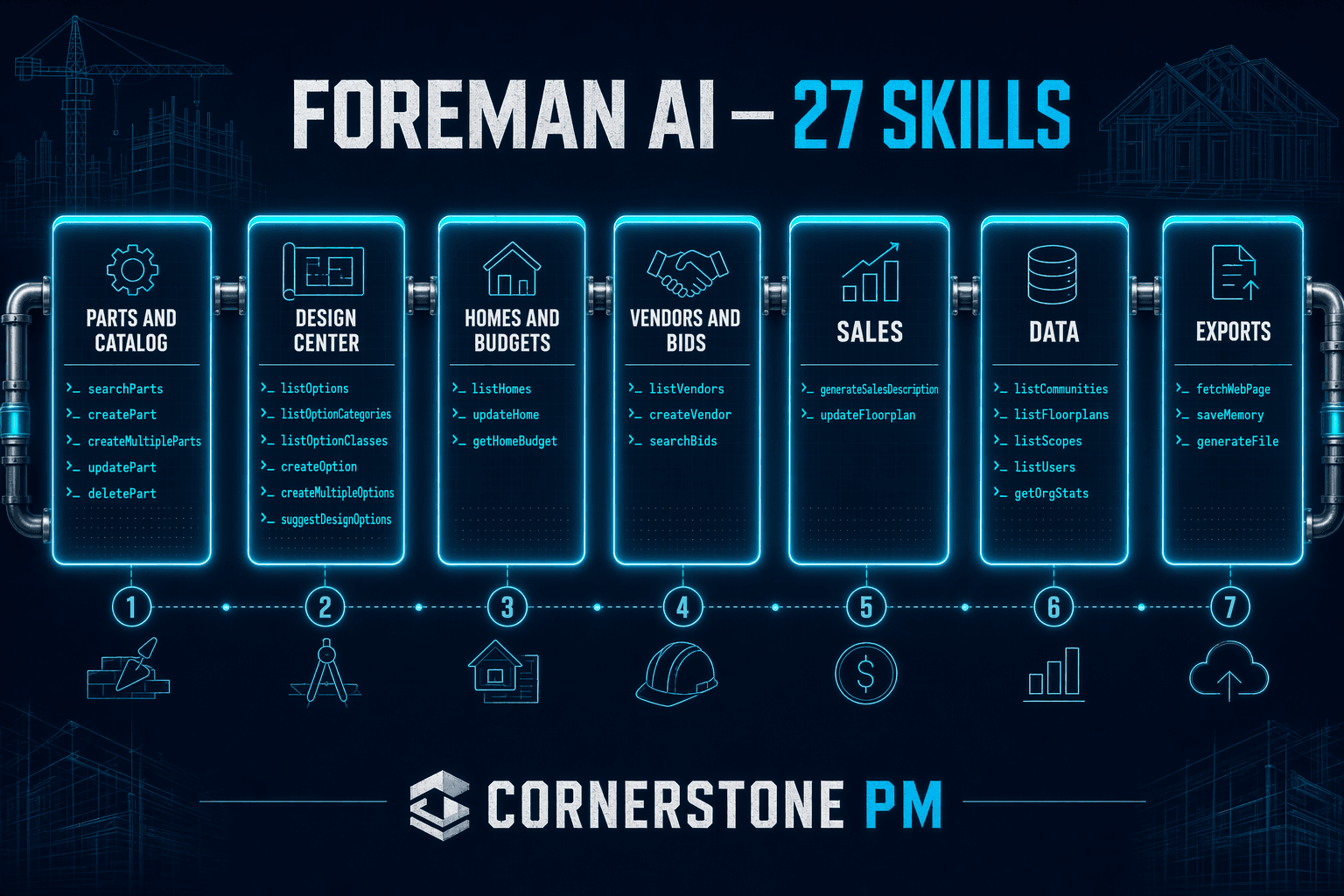
Foreman AI is the AI agent built into Cornerstone PM™ — purpose-built for home builders with 396+ skills across data management, AI-powered analysis, document generation, and system intelligence.
On estimating: Foreman can scrape supplier sites (Home Depot, Ferguson, 84 Lumber) for real pricing, add items to your parts catalog, and generate bid comparison reports that normalize pricing across vendors.
On scheduling: Foreman can show you all homes by stage across a community, flag homes that haven't had status updates in 14+ days, surface which subs have the worst on-time records, and generate trade-specific punch lists when a home reaches the finishing stage.
On documents: Foreman generates professional SOW documents, bid invitations, punch lists, MLS listing sheets, design center summary PDFs, and Excel exports — all from real project data, not templates.
On analysis: This is where Foreman is strongest. Budget variance detection across all active homes in one command. Vendor performance scorecards. Design center revenue analysis by category and spec level. Sales pipeline analysis identifying stalled deals and close rate by agent.
What to look for when evaluating AI construction software
Before you buy into “AI-powered” construction software, ask three questions:
1. Does it have real data access?
Can the AI read and write your actual records — homes, vendors, budgets, schedules — or is it just summarizing text you paste in? If you have to copy-paste your data into the AI, it's not an integrated AI construction management system. It's a chatbot with a construction theme.
2. Is it construction-specific or just ChatGPT?
Ask the AI what a spec level is. Ask it to generate a punch list for the finishing trades. Ask it to flag budget variances across your active homes. If it gives you a generic answer or asks you to explain your data, it's not purpose-built for construction — it's a generic model with a construction skin.
3. Does it have persistent memory?
AI that forgets everything between sessions is AI you have to train from scratch every time you use it. Purpose-built AI construction management should learn your communities, your vendors, your margin targets, and your preferences over time — and apply that context automatically.
The bottom line
AI construction management software is a real category with real value — but most of what's being sold under that label is marketing, not substance. For home builders specifically, the gap between generic AI and purpose-built AI is especially wide, because residential homebuilding has workflows and vocabulary that commercial construction software simply doesn't address.
If you're evaluating AI construction tools for your building operation, start with the three questions above. And if you want to see what purpose-built looks like, Cornerstone PM™'s beta is open now.
See Foreman AI in action
396+ purpose-built construction skills. Beta access is free for 2 years for early adopters.
Request Beta Access