Manage your entire build
from a beach 1,500 miles away.
Live vendor check-ins on a Google Maps view. Weather logged on every scan. Real-time push notifications when a permit drops, a buyer walks into the model, or framing kicks off. Every audience, every event, every community — streaming to your phone.
One builder put it best: “It's like some shit the military would use.” Yeah. Kind of the point.
Powered by a triple QR check-in ecosystem. No app install. No login.
Vendor Activity Map
Every QR scan becomes a pin. Live Google Maps view of every vendor and PM check-in across every community, with weather overlays, a heat map of activity, and a live feed that refreshes every 30 seconds. Filter by date, filter by vendor. See who's on-site right now.
Same live command center on desktop, tablet, and phone. Pull it up from the truck, the trailer, the office, or a hammock in Cabo — your build runs the same.
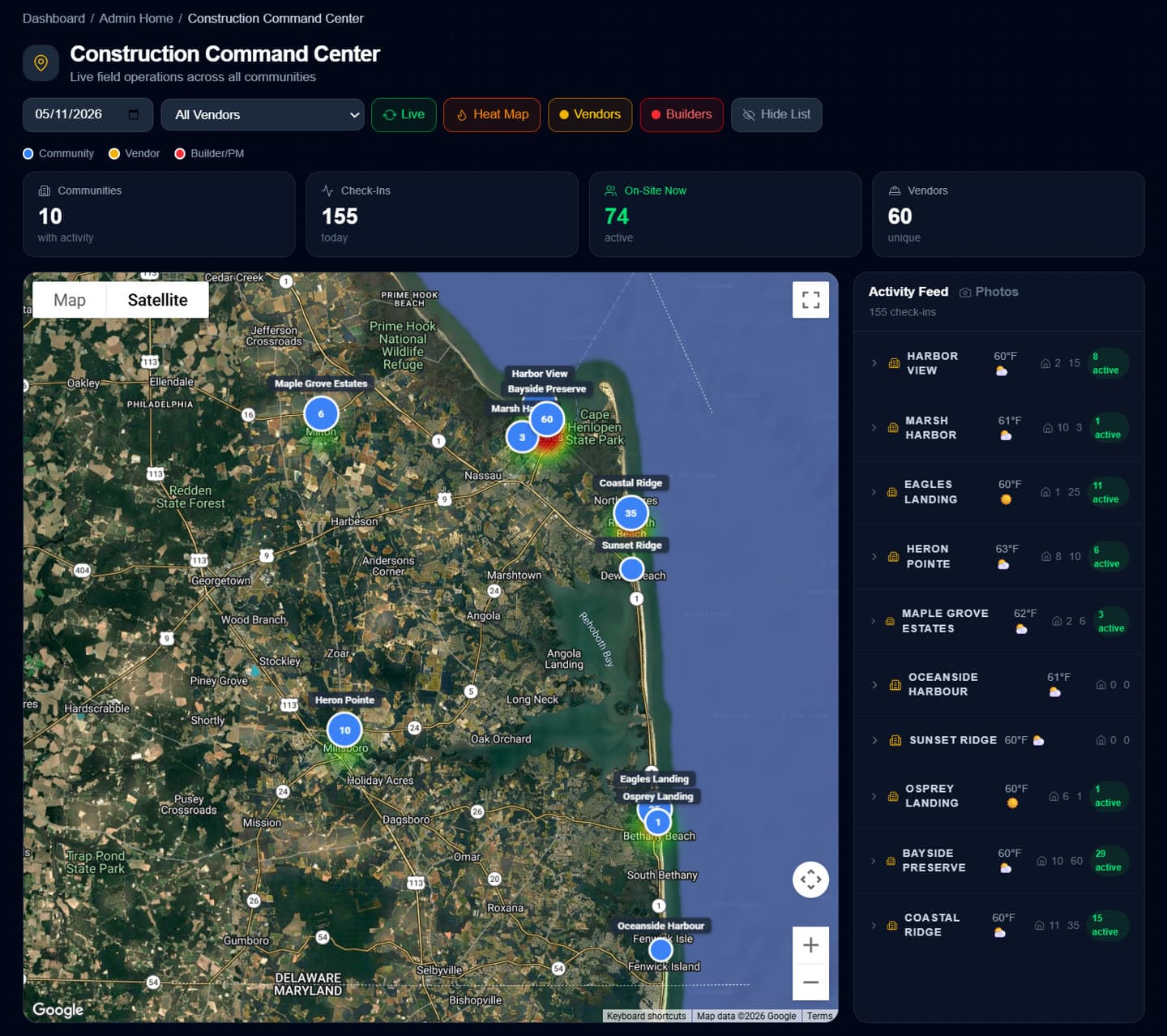
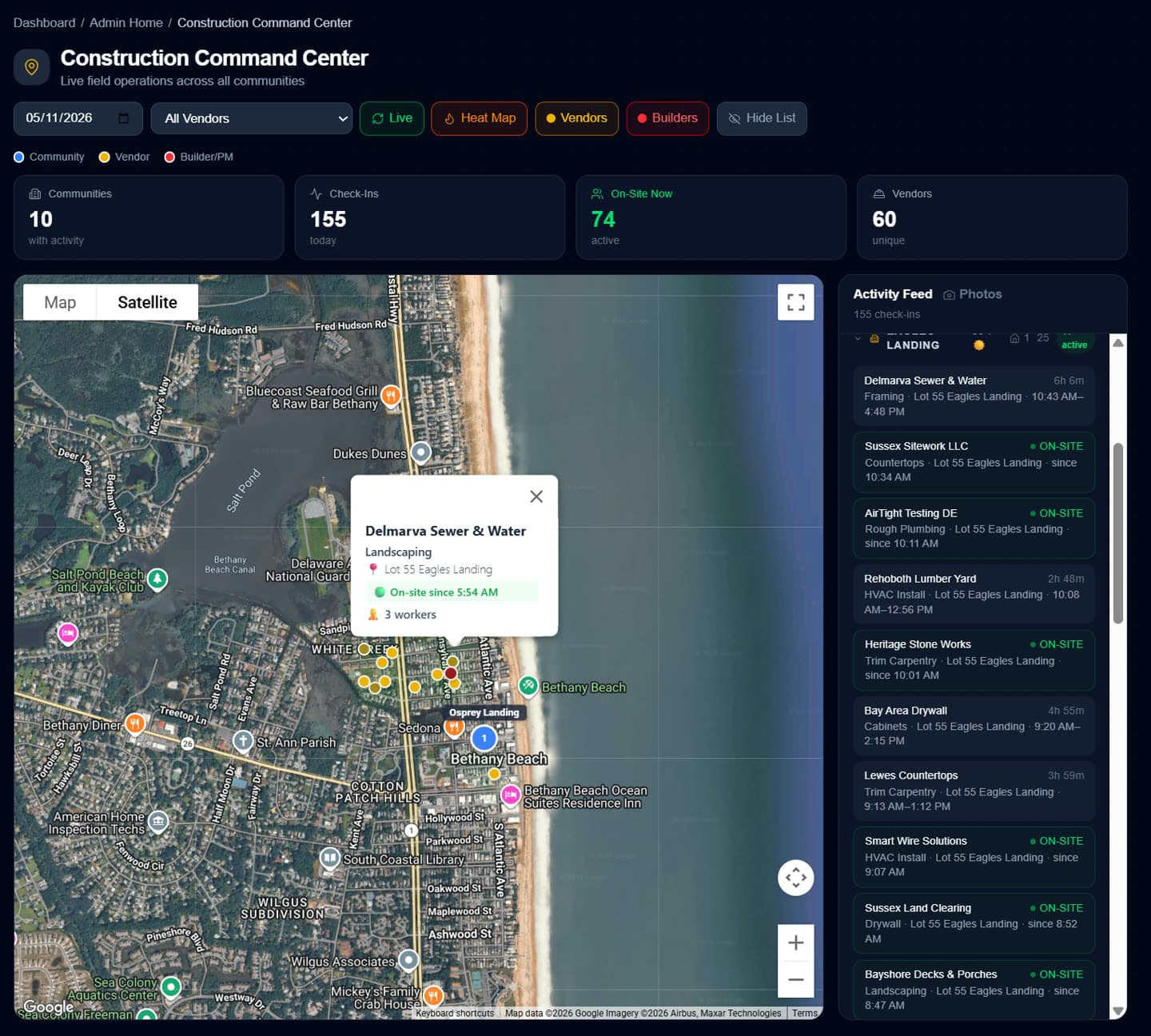
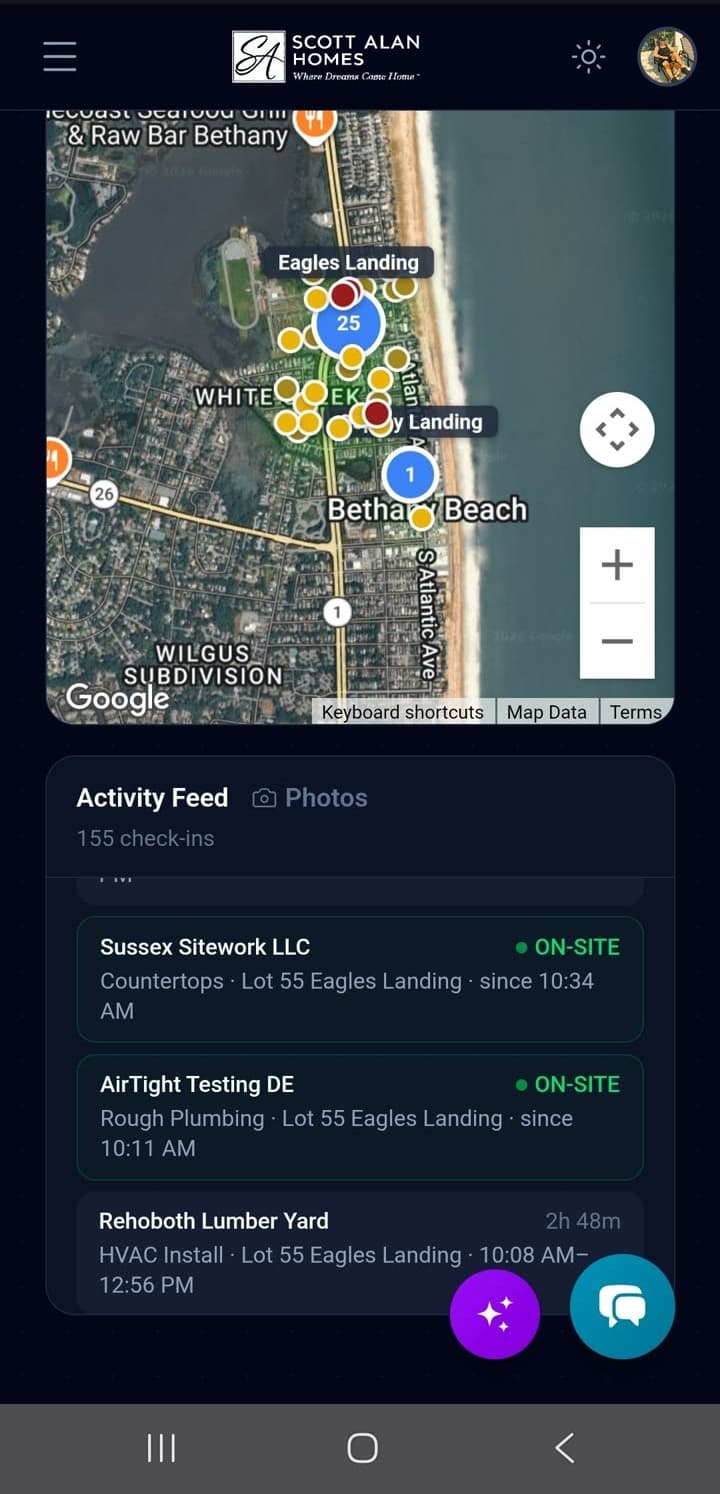
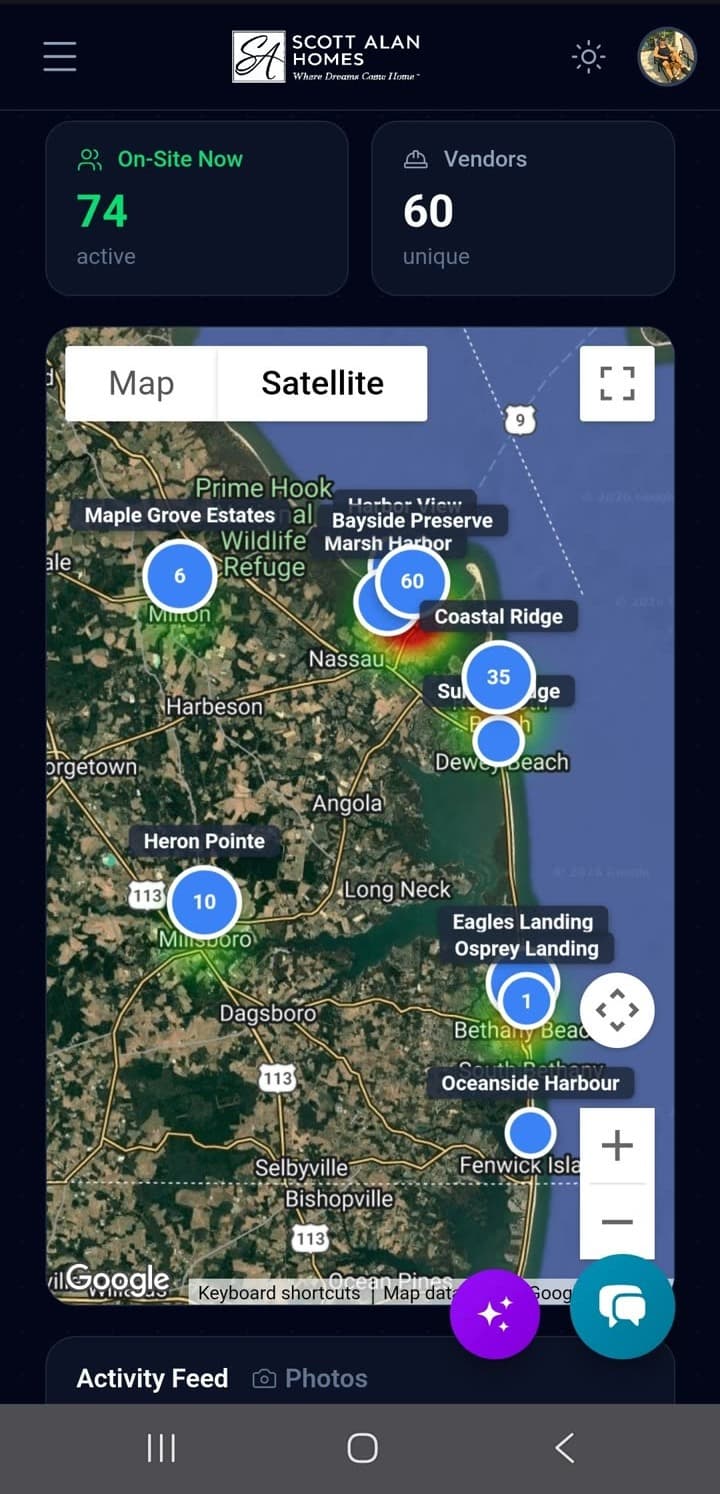
- Real-time pins for every vendor and PM check-in
- Heat-map overlay shows where the action is
- Click any pin for vendor, trade, lot, and time on-site
Sales Command Center
Same live map architecture, different cast. Every sales rep check-in at the model becomes a pin. Every buyer QR scan becomes a lead pinned to the model address. Managers see who's actually at the model, who's closing, and which communities are heating up — in one screen.
Sales reps check in at the model, not “the lot.” The model is the furnished show home where buyers walk in. The lot is dirt.
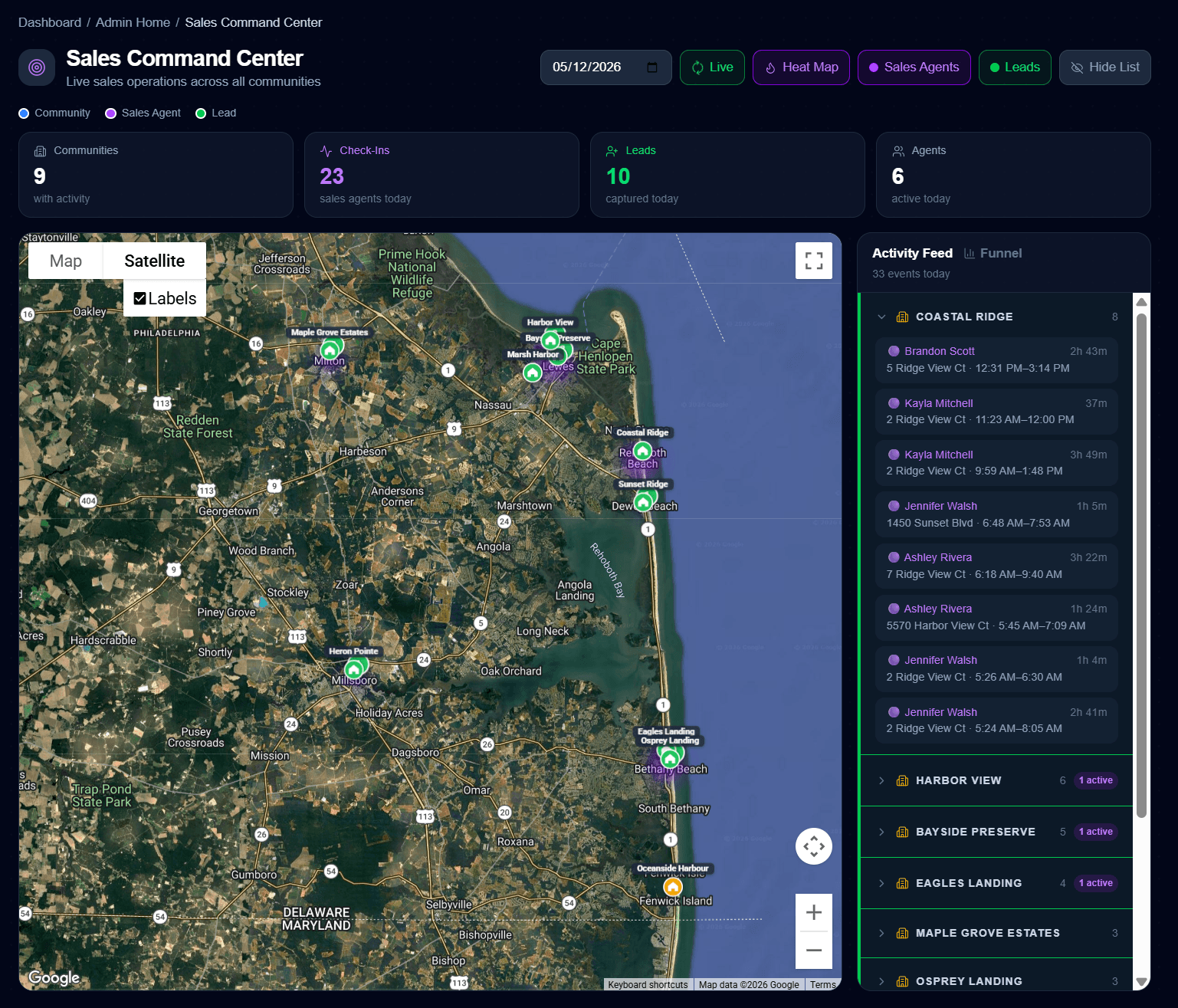
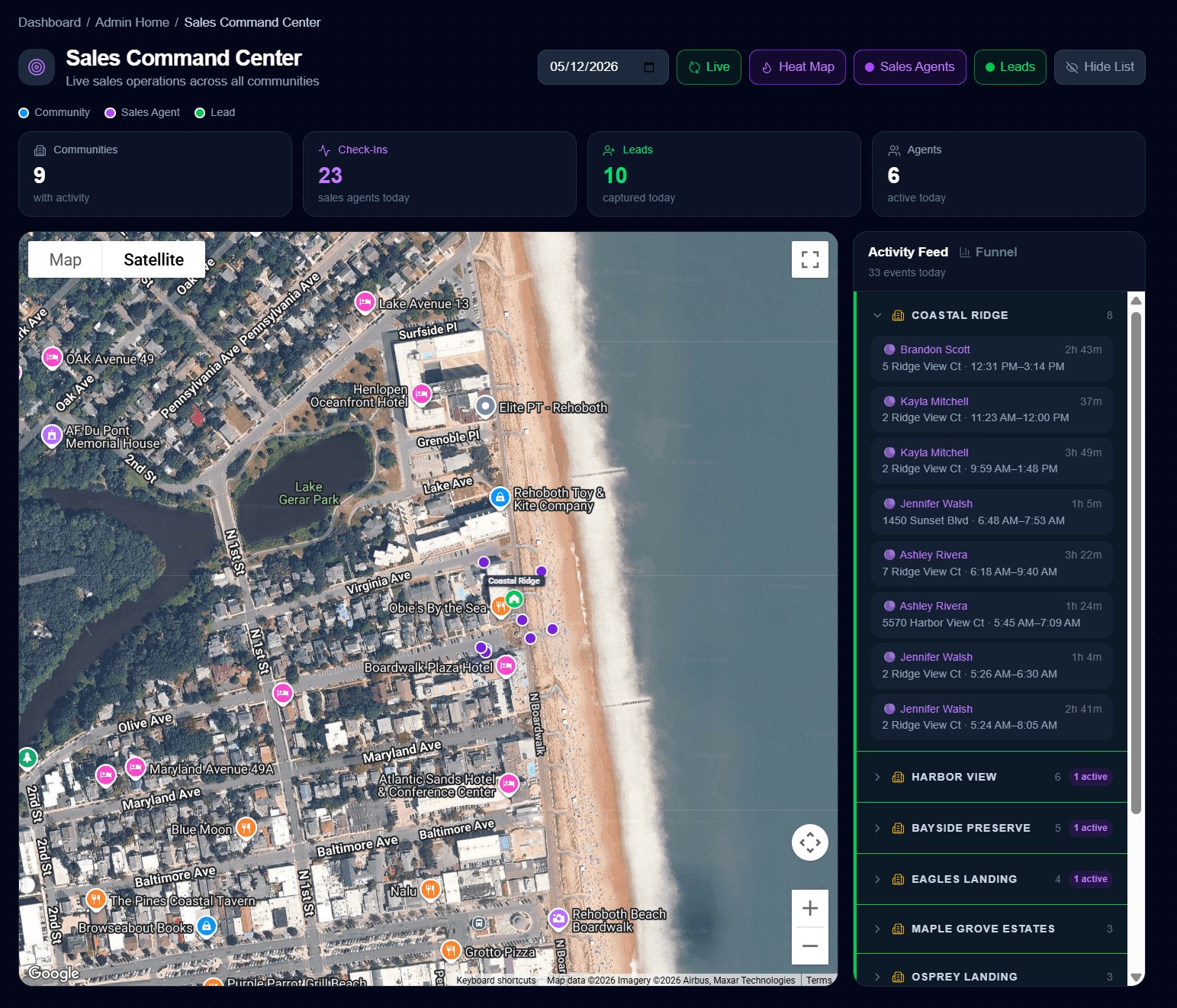
- Sales rep check-ins pinned to the model — not GPS, not honor system
- Buyer QR scans auto-create Leads pinned to the model address
- Activity heat map shows which communities are converting
Two command centers, one platform. The Construction Command Center tracks who's building. The Sales Command Center tracks who's selling. Both live on the same map architecture, both refresh in real time, both work on your phone from anywhere.
Built like the systems that run actual operations.
Live map of every asset. Geotagged check-ins with timestamp + weather + photo. Audit trail on every action. Push alerts on every event. Webhook fan-out to downstream systems.
That's the same vocabulary military and emergency-response ops rooms use — and exactly nothing about it is normal in construction software. Most builders are still on spreadsheets, group texts, and paper sign-in sheets. We pointed a real situational-awareness stack at the home-building workflow and called it a day.
- ●VENDOR ON-SITE → TASK STARTEDSummit Roofing · Roof Dry-In auto-flipped to In Progress · 64°F
- ●PERMIT ISSUEDHarbor View Lot 14 · framing unblocked
- ●BUYER AT MODELMarsh Harbor Model · Lead auto-created
- ●WEATHER ALERTRain 80% Thu · 3 pour-day tasks at risk
Representative feed. Real ones include vendor names, GPS pins, and one-tap actions.
Real-time, weather-aware, mobile-first.
Cornerstone isn’t a dashboard you check at the end of the day. It’s a live command center that streams every event you care about — to your phone, your tablet, your laptop — the second it happens. From anywhere.
Live everywhere, at once
Every check-in, every scan, every status update streams to a single map and feed. See who’s on which jobsite, in which community, right now. Refreshes every 30 seconds. Same view on desktop, tablet, and phone.
Weather built in, not bolted on
Real-time conditions captured on every QR scan. Forecast overlays on the schedule. Pour-day weather logged forever — dispute delays with receipts, not memory. Same kind of weather + position intel militaries use to plan operations, pointed at your jobsite instead.
Notifications find you, not the office
Vendor arrived. Permit issued. Inspection failed. Buyer just walked into the model. Every event you care about lands on your phone in real time — push, email, SMS, your call. Foreman AI can rebroadcast through webhooks to Twilio, Bland, Retell, or your own automation stack.
Built mobile-first, not mobile-after
Most construction software is a desktop dashboard with a sad companion app. We built every screen to work in your hand — the map, the schedule, the bid comparisons, the buyer portal, Foreman AI. Pull it up from the truck, the jobsite, or the dinner table.
Could you run your build from 1,500 miles away?
With Cornerstone, the answer is yes. Same map, same feed, same notifications, whether you’re in the trailer, the truck, or a hammock in Cabo. Builders use Cornerstone to manage active jobsites while on vacation. That isn’t a feature we tacked on — it’s the product’s spine.
Vendor Jobsite QR
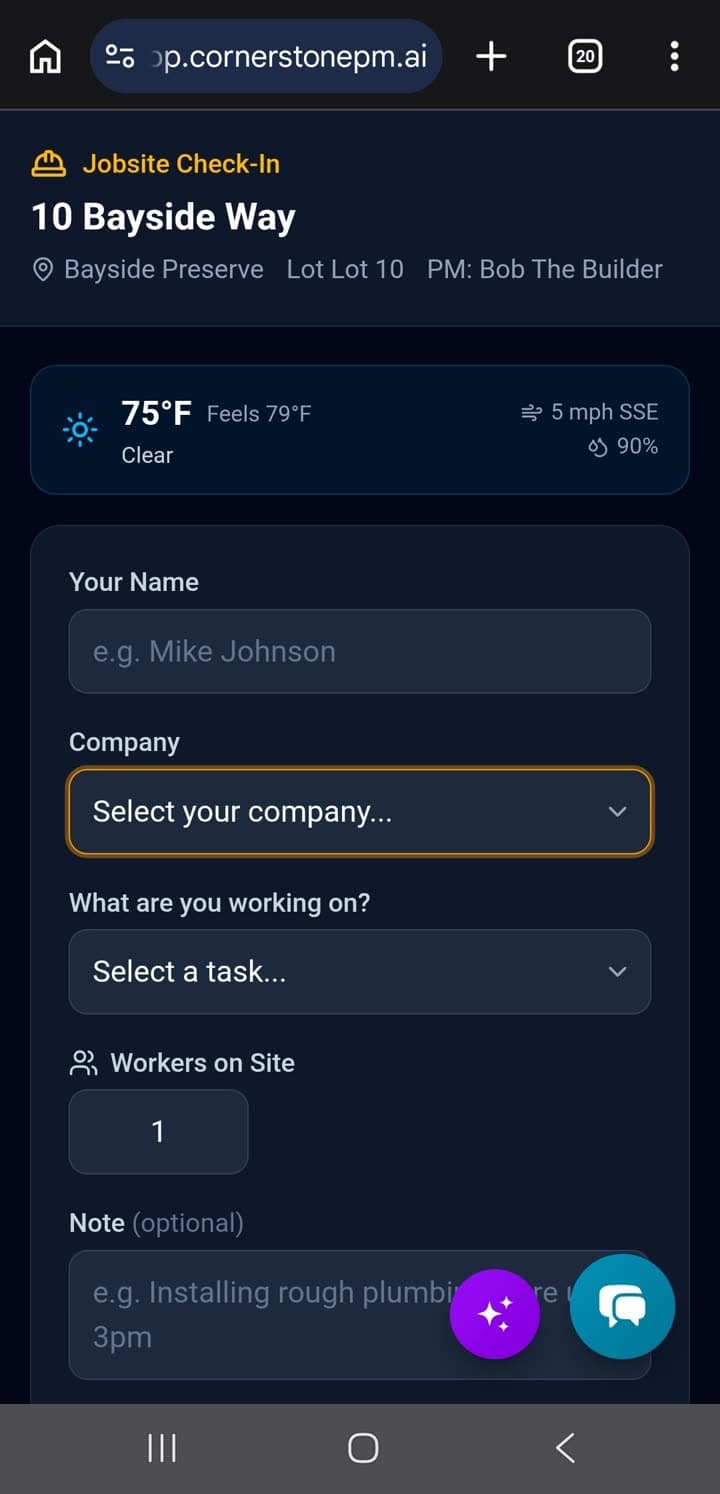
Scan on arrival. The schedule updates itself.
Every community and home gets its own unique QR code. Vendors scan with any phone — no app install, no Cornerstone login. The moment a vendor scans, the task on the construction schedule auto-flips to In Progress (if it hasn't started yet), downstream dependencies cascade, the PM gets a push, and the next vendor up the chain sees it the instant it happens. GPS coordinates, timestamp, weather, and an audit trail capture themselves. Nobody has to remember to log anything.
- Scan auto-starts the scheduled task — In Progress, no manual toggle
- The NEXT vendor up the chain sees it the instant it happens — no calling around
- Downstream cascade fires the moment the task starts (everyone re-syncs)
- PM gets push notification: vendor on-site, task auto-started
- GPS + timestamp + weather captured on every scan
- Hours-on-site tracked automatically (check-in → check-out)
- Photo upload at check-in — up to 10 photos per visit
- Configurable safety acknowledgment per community
- Worker headcount log for crew sizes
- Webhook events: vendor.arrived, vendor.departed, task.started
- Printable 11×8.5" signs auto-generated for every home
Community / PM QR
Timesheets that prove who was on-site.
PMs, permitting agents, and inspectors scan at the construction trailer when they arrive. GPS-validated presence logging feeds the timesheet system — actual on-site presence is aligned below the timecard grid so managers can validate reported hours.
- GPS-validated presence logs
- Timesheet integration — actual presence vs. reported hours
- Stops "I was on-site all day" entries that don't match the GPS record
- Per-community QR codes for multi-subdivision builders
- Inspector workflows — log site visits with photo evidence
- All scans attributable to a specific user account
Sales Model Home QR
Goodbye, paper sign-in sheet. Hello, model-home accountability.
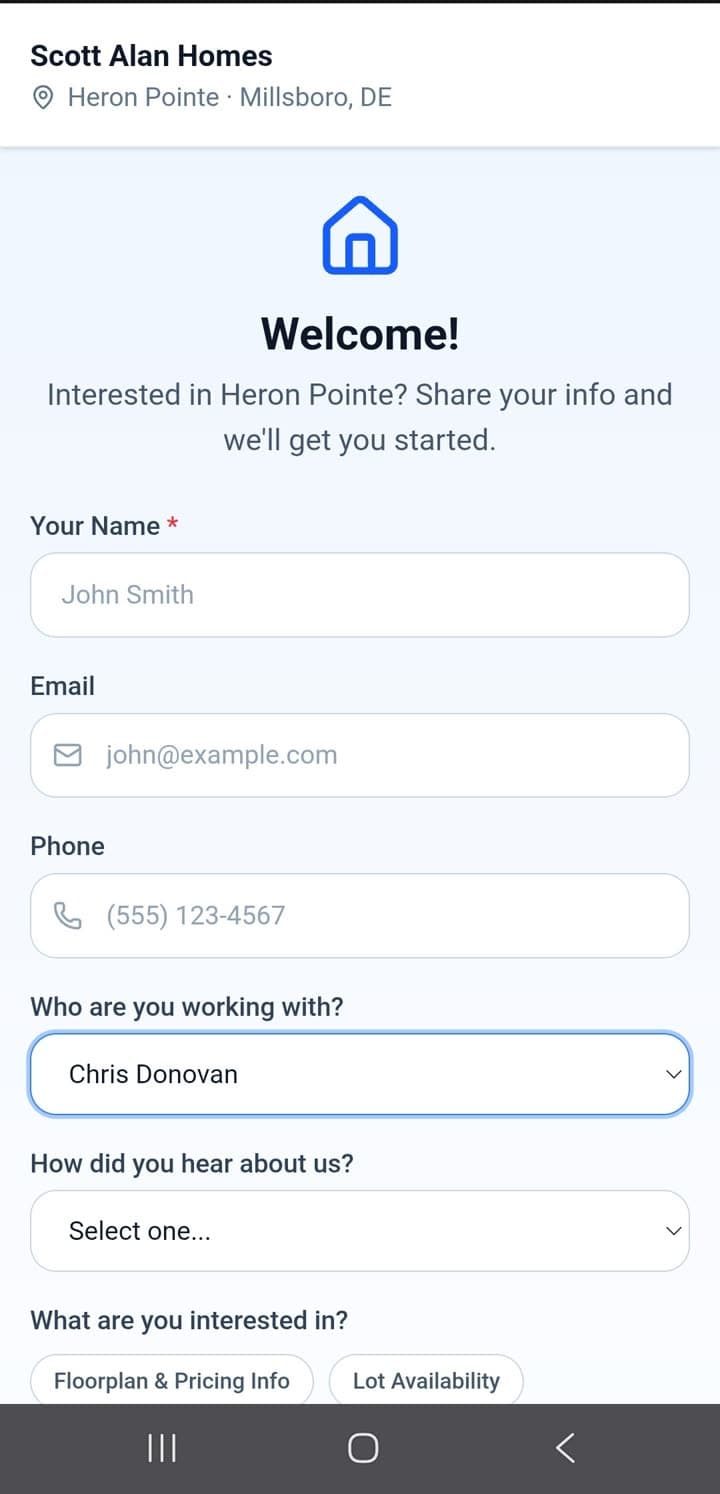
One QR code at every model home entrance, two jobs. Walk-in buyers self-register on their own phone — returning visitors are recognized ("Welcome back!") and every scan auto-creates a Lead with instant agent notification. Sales reps scan the same code when they arrive and leave, so you finally know who actually opened the model this Saturday and who left two hours early. Both check-ins pin to the model on the live map — no GPS needed, we already know the model’s address.
- Buyer self-registration: first-time vs. returning recognition
- Captures name, email, phone, "How did you hear about us?"
- Lead auto-created and tied to community + assigned to model’s sales agent
- Sales agent gets instant in-app + email notification
- Sales-rep check-in/out at the model = real hours worked, not self-reported
- Catches reps who showed up late, left early, or never opened the model
- Both buyer pins and rep presence appear on the Sales Command Center map
- No more paper sign-in sheets to retype on Monday
- Foundation for nurture sequences and follow-up automation
The vendor scans. The schedule updates itself.
Every other construction platform asks somebody to remember to flip the task to In Progress. Cornerstone doesn't. The moment a vendor scans the jobsite QR, the scheduled task auto-flips to In Progress — downstream tasks cascade, the PM gets pinged, the homeowner portal updates, and the activity feed lights up. Zero clicks. Zero forgotten updates. Zero stale schedules.
And the vendor up next? They see it the instant it happens. No calls, no texts, no “hey when do you think you'll be done?” — just a live schedule that tells every trade partner exactly where they stand. Better odds the job will actually be ready when their crew rolls up.
Closes the gap every builder lives with.
Old world: a builder marks Roofing Dry-In complete at 4pm Monday. Drywall is scheduled for 7am Tuesday, but their truck has to load Monday night. The crew rolls the dice and shows up — sometimes the prior trade isn't actually done, the day is wasted, and everyone's mad.
New world: Drywall pulls up Cornerstone at 7am Tuesday and sees Roof Dry-In is In Progress — since 6:47 AM. They commit the truck with real information, not a hope. Better odds. Fewer wasted days. Fewer angry calls.
Multiply this by 40 active homes and 12 trades per home. That gap is where most home-building schedules quietly bleed.
Pair it with our AI Jobsite Camera Eventsand tasks can auto-start the moment a vendor's truck pulls into the cul-de-sac — no scan required. Same downstream cascade. Same zero clicks. The schedule literally manages itself while you're on the beach.
Why no one else has this
Home builders manage three workflows that most software treats as separate problems: field operations, internal time tracking, and sales lead capture. We built one QR-based check-in primitive and pointed it at all three.
GPS audit trail
Every scan is geotagged. Cuts disputes about who was where, when.
Weather logged
Conditions captured at scan time. Dispute pour-day delays with the receipts.
Photos & webhooks
Vendors upload photos at check-in. Webhooks fire to your automation stack.
Have cameras already? Skip the QR.
Cornerstone's AI Jobsite Camera Events feature accepts webhook events from any camera, doorbell, gate sensor, or AI vision system — Verkada, Ring, custom IP cameras, anything that can fire an HTTP POST. When a vendor is detected on-site, the matching scheduled task auto-flips to In Progress. No QR scan required.
Learn about Jobsite AIStop paying
for software that's
built for someone else.
Cornerstone PM™ was built by a builder who got tired of wrestling with enterprise software. Request beta access today — no credit card, no catch.