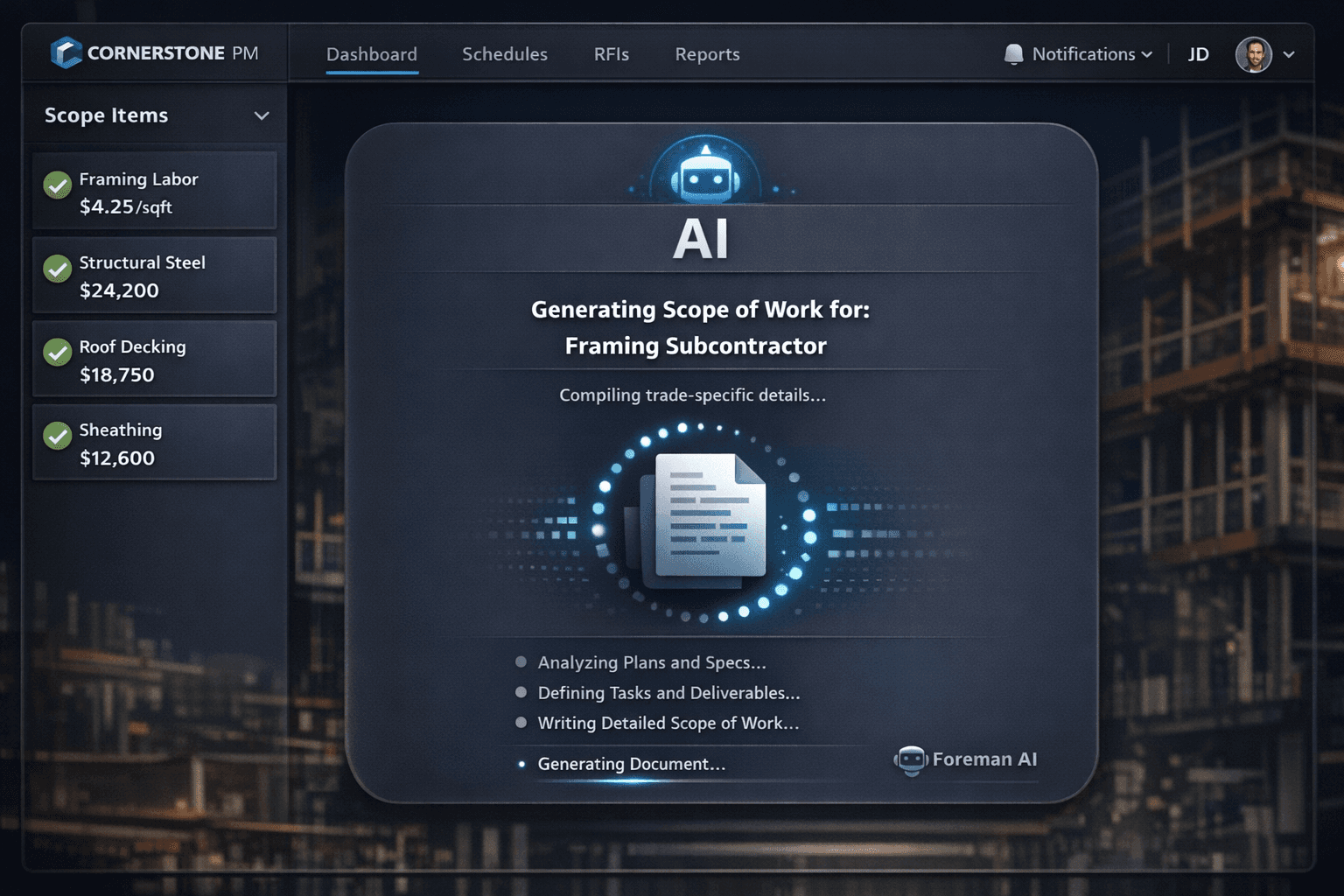
Stop Writing Scopes of Work From Scratch: AI-Generated SOWs
A vague scope of work is a change order waiting to happen. When the contract says “install drywall” and nothing else, the dispute over corner bead, texture, and cleanup is already written into the job. Foreman AI generates trade-specific scopes of work from the scope items and vendor pricing you already have — so the inclusions and exclusions match what was actually bid.
Most SOW templates live in a shared drive nobody updates. The purchasing manager copies last quarter's framing scope, changes the community name, and hopes the clauses still match what the vendor quoted. When they don't — when the vendor quoted cleanup as included but the template says it's excluded — the argument happens on the job site, not in the office where it's cheap to fix.
The problem is not laziness. It is that writing a tight SOW from scratch for every trade on every community is genuinely time-consuming work, and the tools to do it well haven't existed in most purchasing workflows. That is changing.
Why SOW generation is one of Foreman's 396+ skills
Foreman is not a chatbot layered on top of a database. It is an agent that reads and writes your actual records — scope items, parts, awarded vendor pricing, community assignments, task history. SOW generation is one skill in a catalog of 396+ across 20 categories that includes purchasing, scheduling, reporting, and design. The distinction matters because a chatbot gives you a document you then copy somewhere; Foreman gives you a document that lives in the right place in the platform.
When you ask Foreman to generate a scope of work, it does not pull from a generic library of construction boilerplate. It drafts the SOW from your scope items, parts, and awarded vendor pricing for that scope in that community — so the inclusions and exclusions reflect the actual bid, not a best-guess template.
Example: AI-generated framing SOW — Oak Creek Community
Inclusions
- Install wall framing per approved plans
- Structural headers at all openings
- Corner bead and blocking
- Nailing per code
- Cleanup included
Exclusions
- Material haul-off (by owner)
- Engineered lumber not in takeoff
- Structural steel
- Weather protection wrap
Generated from awarded vendor pricing — inclusions match what was bid, not a copied template.
Step 1: Open the Foreman AI chat panel
Foreman is accessible from any screen in Cornerstone PM. It has live access to your scope items, parts catalog, vendor bids, and community assignments — the same records your purchasing team works from every day. There is no export step, no data sync to configure. Foreman reads what the platform already knows.
Step 2: Ask for the scope of work by trade and community
A prompt like “Generate a scope of work for the framing scope in Oak Creek Community” is enough. Foreman identifies the scope, pulls the associated scope items and parts, and uses your awarded vendor pricing as the source. Because the pickers in Cornerstone are scope-filtered — a framing scope only contains framing items — the generated SOW will not accidentally include plumbing or electrical clauses.
This is where the hard cost rule matters for SOW accuracy. Anything without accepted vendor pricing shows as $0 / needs pricing in the budget — and that same signal flows into the SOW. Instead of silently fabricating a number or a clause, Foreman flags unpriced lines as needing attention before the document goes out. A scope of work built on real pricing is harder to dispute than one built on assumptions.
Step 3: Review inclusions, exclusions, and special conditions
Foreman drafts the SOW with three structured sections: Inclusions, Exclusions, and Special Conditions. The specificity comes from the scope item detail in your platform. If your framing scope items include blocking, corner bead, and a cleanup line, the SOW will reflect those explicitly. A vendor who sees “cleanup included” in writing has no basis for a change order on that point. A vendor who does not see it will ask — which is the right time to clarify.
The real cost of a vague SOW
A change order dispute on a framing scope typically runs $2,000–$8,000 in labor, delays, and negotiation time — for a clause that could have been resolved in the original SOW with two sentences. Most change orders trace back to ambiguity that existed before the job started, not surprises discovered in the field.
Step 4: Let Foreman learn your standard clauses
Foreman runs two memory layers: per-user memory and company-wide memory. Tell it once — “always include a material haul-off clause for framing scopes” or “our standard drywall exclusion includes texture as a separate line item” — and it carries that preference into every future SOW request. The next community does not start from scratch; it starts from what your company actually does.
Per-user memory also captures individual preferences. A project manager who wants SOWs written in plain language and a purchasing director who wants technical precision can each get the output style that works for their audience, without either one having to re-configure it.
Step 5: Attach the SOW to the PO or bid request
Because Foreman is an agent that writes real data, the generated SOW does not live only in the chat transcript. It lands against the right trade in the platform, where it can accompany a bid request through the vendor portal or attach to a purchase order when the task completes and the PO auto-generates. Vendors receive a document that matches the template they quoted against — not a generic attachment that may or may not reflect the actual bid.
How this fits the broader purchasing workflow
SOW generation is one piece of a connected stack. In Cornerstone's purchasing module, the flow runs: bid request with scope-filtered Excel templates → vendor submits through the no-login portal → side-by-side comparison → award and lock → SOW generated from the awarded pricing → task completes → PO auto-generates and emails the vendor. The SOW is not a document that lives outside the system; it is part of the record that follows the job.
For builders managing multiple communities with multiple vendors per scope, that connection is what keeps the paperwork honest. The SOW the framing sub receives in Oak Creek is built from the pricing they won in Oak Creek — not a copy of what another vendor agreed to in a different community with different conditions.
A tight scope of work does two things: it reduces change orders before they happen, and it creates a paper trail that is defensible when disputes arise anyway. With Foreman generating those documents from your actual scope items and awarded pricing, “install drywall” becomes a five-section document that both sides agreed to — and the next time someone asks who was supposed to handle texture, the answer is in writing.
Stop copying last quarter's SOW.
Foreman AI generates trade-specific scopes of work from the scope items and awarded vendor pricing you already have — trade-filtered, memory-backed, and attached to the right record in the platform. No boilerplate, no blank page.
Request Early Access