BuilderMT vs Cornerstone PM: Production Home Builder Software
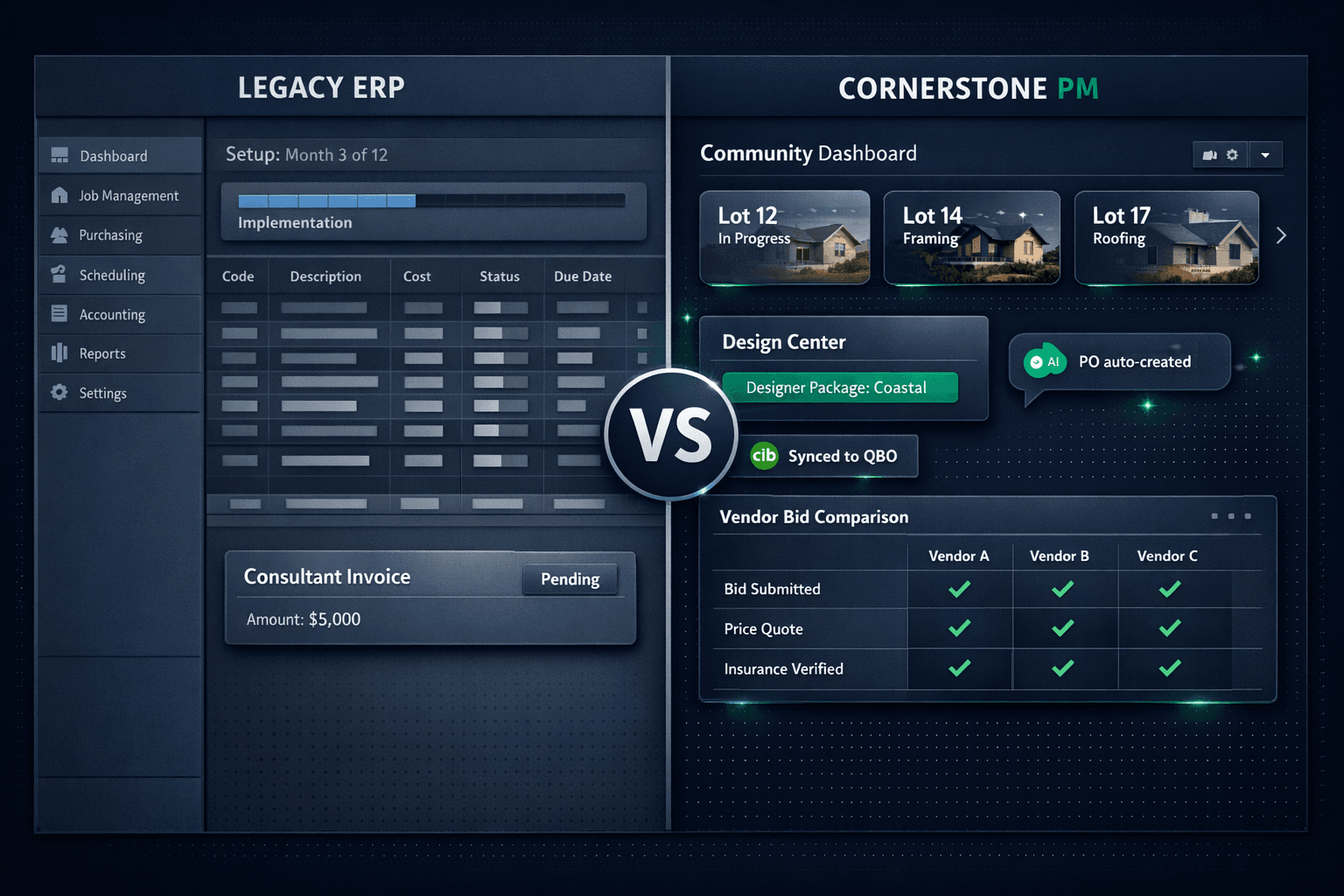
BuilderMT is a production home builder software suite with decades of history — but it carries the legacy ERP overhead, multi-month implementation timelines, and stitched-together module architecture that comes with that territory. Modern production home builder software should be a single platform that works from day one — not a stack of modules that needs an integrator to speak to each other. Cornerstone PM is built for that.
BuilderMT, a Constellation Software product, is typically deployed alongside MarkSystems (Constellation's ERP) and a separate accounting system, with consultants and integrators managing the connections between them. For large-volume national builders with the IT infrastructure to support that stack, it may still be the right fit. For builders running 20–200 homes per year who need communities up and running quickly — with AI agents, a real design center, and native QuickBooks sync — the ERP model starts at the wrong place.
This comparison covers the dimensions that matter most for small-to-mid production builders: implementation speed, AI capabilities, design center depth, QuickBooks integration, API access, and pricing transparency.
Why is BuilderMT hard to implement quickly?
ERP software is designed to be comprehensive, not fast. BuilderMT implementations typically involve multiple consultants, data migration sessions, module configuration workshops, and parallel run periods before go-live. For a builder with active communities to manage, every month of implementation is a month running two systems at once — a real operational and financial cost before the platform delivers a dollar of value.
Cornerstone PM is designed to come online in days. Builders set up communities, floorplans, vendors, and scope items immediately. If you're migrating from an existing platform, the AI-powered CRM Migration Wizard auto-detects your source — BuilderMT, MarkSystems, Buildertrend, JobTread, or any CSV/Excel export — and maps your data automatically for roughly a penny per migration. No white-glove migration fee, no discovery-call-before-you-see-a-number.
What AI capabilities does Cornerstone PM have that BuilderMT doesn't?
BuilderMT is not an AI-first platform. Cornerstone PM ships five native AI agents as core capabilities — not paid add-ons, not beta features:
- Foreman AI — 396+ construction skills across 20 categories that read and write your live data. Foreman edits design options, updates vendor pricing, generates profitability reports and vendor scorecards, runs multi-step purchasing workflows, and builds area cost budgets by chat — all from instructions in plain English. Foreman is an agent, not a chatbot.
- Blueprint AI — reads a floor plan PDF and extracts 130+ material scopes and 3,284+ parts in under 60 seconds. AI takeoff replaces manual quantity counting without reinventing your workflow.
- Bid Import AI — three import modes (takeoff-only, pricing-only, or both), cross-scope penalties so trades stay in their lane, and replace-instead-of-duplicate logic on re-import so the Master Cost Budget stays clean across multiple bid rounds.
- AI MLS Listing Generator — generates buyer-ready listing copy directly from your live floorplan and community data.
- AI Support Agent— answers platform questions around the clock so your team isn't waiting on a ticket.
Foreman also carries per-user and company-wide memory, so it remembers your role, preferred vendors, and communication style across every session. Every new Foreman skill ships automatically to all subscribers with no configuration change required.
Design center: options management vs. a real production design center
BuilderMT handles options management within the ERP. That's a different product category than a buyer-facing design center with production-builder logic built in. Cornerstone's design center ships the whole stack:
- 64 Designer Packagesacross 7 categories that auto-lock coordinated options when a buyer picks a style — a "Modern Farmhouse" pick completes the look instead of presenting a blank checklist.
- Exclusion groups— Carpet OR Tile OR LVP OR Hardwood, so one selection marks the category complete. Tools that treat options as independent checkboxes can't model this correctly.
- Spec-level upgrade control — promote any individual standard finish to a paid upgrade with a single spec-level change. Granular control down to the option, not just to the category.
- Area Cost Pricing — community-level extras (lot premiums, elevation fees) layer onto base plan pricing automatically.
- Option Classes + scope linking — design selections link to scope items so a buyer upgrade flows directly to the right cost line in the Master Cost Budget, with no double-entry.
The hard-cost rule ties it all together: every upgrade price in the design center traces back to accepted vendor pricing, not estimator guesses, so the design center and the budget always agree.
Head-to-head: BuilderMT vs Cornerstone PM
| Category | BuilderMT | Cornerstone PM |
|---|---|---|
| Deployment model | Legacy ERP stack; typically paired with MarkSystems + separate accounting | Modern web-native all-in-one; any device, no installs |
| Implementation | Multi-month; consultants and integrators required | Days to weeks; AI-powered migration wizard (~$0.01 per migration) |
| AI capabilities | Not an AI-first platform | 5 native AI agents: Foreman (396+ skills), Blueprint AI, Bid Import AI, MLS Listing Generator, Support Agent |
| Design center | Options management; no Designer Package or exclusion group model | 64 Designer Packages, exclusion groups, spec-level upgrade control, Area Cost Pricing |
| QuickBooks sync | Third-party integration required | Native one-way sync; POs, change orders, bills, vendors auto-post with clean memos |
| REST API / BYOA | Enterprise integrations; limited public API surface | Full public REST API + BYOA on Pro+; MCP server for Claude, Cursor, Windsurf |
| Pricing | Enterprise / quote-based | Published: $149–$599/mo; Enterprise from $500/division/mo |
QuickBooks Online sync: native vs. integrated
BuilderMT relies on third-party accounting integrations. That means a separate system, separate vendor management, and a data flow that requires maintenance every time either side updates. Cornerstone PM ships native one-way QuickBooks Online sync as a core platform capability:
- Approved POs, change orders, bills, and vendors post automatically to QBO — no CSV exports, no manual re-entry.
- Each Community maps to a QBO Customer and each Home maps to a QBO Project, so builders get per-home and per-community P&L inside QuickBooks without setup.
- Clean transaction memos — every synced PO, Bill, and change order carries community, lot, address, PO number, and cost code so bookkeepers can trace any transaction without leaving QBO.
- Automatic sales tax on materials, with labor exempt, carried into QuickBooks exactly.
- The Accounting → Sync Events log shows every push and retry so nothing is a black box.
Cornerstone stays the source of truth. Changes in QuickBooks never overwrite Cornerstone records. And Cornerstone never auto-pays — payment approval always stays manual in QuickBooks, preserving the human pay gate builders need.
REST API, webhooks, and the automation layer
Modern builders expect their software to talk to the rest of their stack. Cornerstone PM Pro+ exposes a full public REST API with 84 dedicated routes, a generic execute endpoint covering all 396+ Foreman skills (238 total API operations), 37 typed webhook events with HMAC signatures and delivery logs, and BYOA — so builders can wire external AI tools directly to their construction data.
Cornerstone also ships a built-in MCP server — the Model Context Protocol standard supported by Claude Desktop, Cursor, and Windsurf. Builders generate an API key, paste a config block, and any connected AI tool gets immediate access to all 396+ Foreman skills. No other production builder platform ships an MCP server.
Pricing transparency
BuilderMT pricing is enterprise and quote-based. For a builder evaluating their options, that means a discovery call before you see a number — a meaningful friction cost that skews the comparison toward the incumbent.
Cornerstone PM's pricing is fully published: Starter at $149/month, Builder at $249/month, Pro at $499/month, and Pro+ at $599/month with the full REST API, BYOA, and all 396+ Foreman skills. Enterprise multi-division starts at $500/division/month with a published volume discount at $450/division after the first five. No surprises, no discovery call.
Who should still consider BuilderMT?
This is a fair comparison, not a teardown. BuilderMT and the Constellation production builder suite have served high-volume builders for decades and carry breadth that large enterprises may legitimately need — deep ERP workflows, enterprise accounting integration, and the organizational structure to support a multi-year implementation roadmap.
If you're a top-50 national builder with a dedicated IT department, an integration budget, and multi-year platform runway, the ERP stack may be your category. But if you're running 20–200 homes per year, want production communities up and running this quarter, and need an AI layer that takes real actions inside your data — Cornerstone PM is designed for that problem.
The modern production home builder platform doesn't require an ERP implementation budget, a consultant retainer, or a third-party accounting integration to tell you where your money went. It requires a platform that was actually designed for the segment you're building in — with AI, a real design center, and a live QuickBooks sync already wired up.
Frequently Asked Questions
What is BuilderMT and who is it designed for?
What is the difference between BuilderMT and Cornerstone PM?
Does BuilderMT have an AI assistant for home builders?
Does Cornerstone PM have a design center for production builders?
Does Cornerstone PM integrate with QuickBooks?
What does it cost to switch from BuilderMT to Cornerstone PM?
Is Cornerstone PM a BuilderMT replacement?
Ready to run without the ERP overhead?
Cornerstone PM gives production builders AI takeoff, a full design center, automated vendor bidding, and native QuickBooks sync — without the 12-month implementation or enterprise price tag.
Request Early Access