Why the Same Design Upgrade Should Not Cost the Same in Every Community
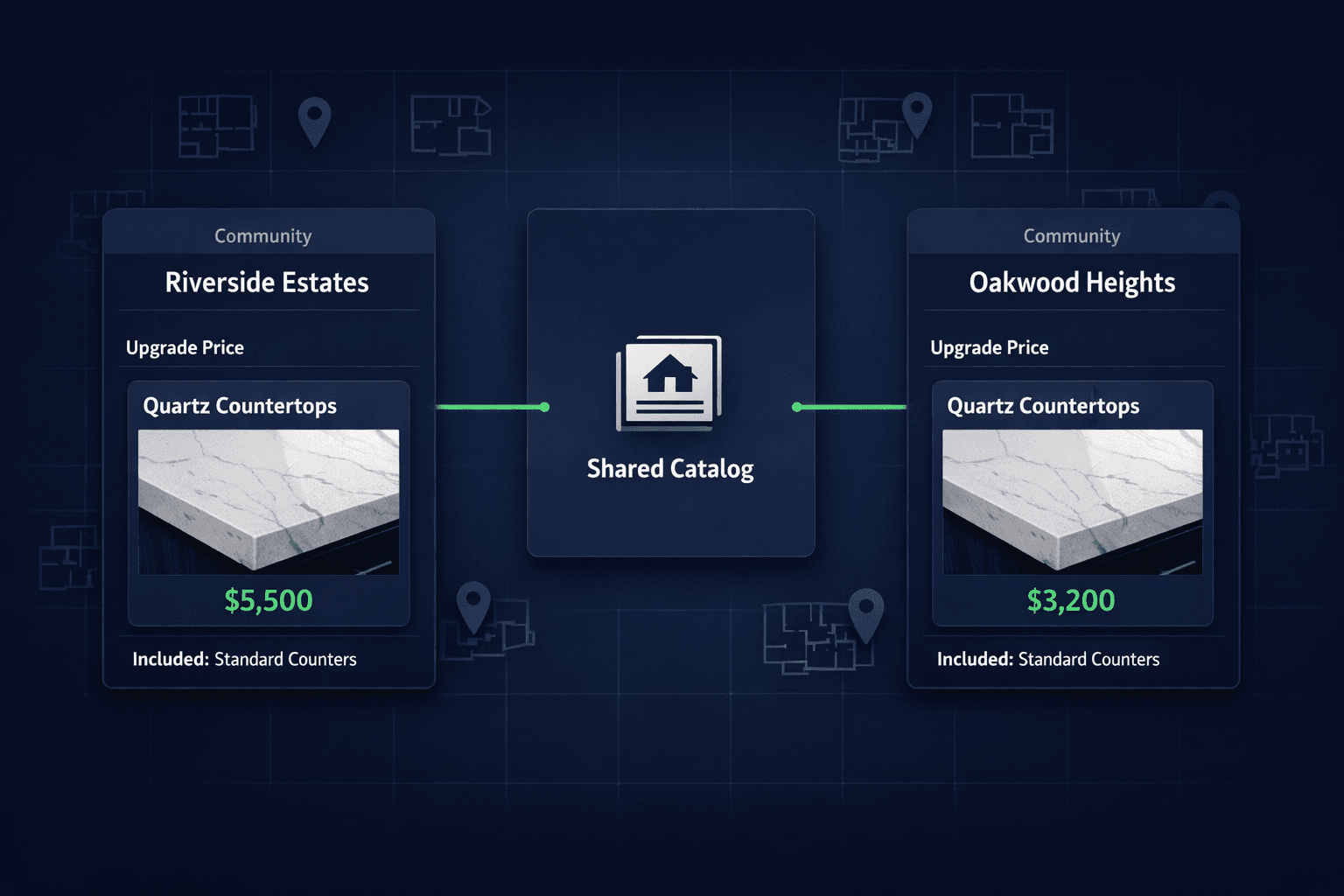
Cornerstone PM lets builders set community-specific design upgrade pricing on one shared option catalog — so the same quartz countertop can be included in one community and a $3,000 upgrade in another, without maintaining a duplicate catalog in the design center.
Vendor pricing is not the same in every market a builder operates in. A quartz slab that costs one price from a supplier serving Riverside Estates can cost meaningfully more from the vendor assigned to Oakwood Heights forty minutes away — different freight, different fabrication shop, different negotiated rate. Margin targets can differ too: a builder may protect thinner margins in a competitive new community and wider margins in an established one with less price sensitivity.
Most design-center tools force a binary choice that ignores all of that: either build one price sheet and accept it is wrong somewhere, or copy the entire option catalog per community and accept the maintenance burden of keeping duplicates in sync every time a price changes.
What is community-based design upgrade pricing?
It is the ability to keep one organized option catalog — the same quartz countertop, the same tile pattern, the same cabinet pull — while controlling, per community, whether that option is included in the base price or sold as a paid upgrade, and exactly what it costs the buyer where it is an upgrade.
The catalog entry itself does not change. What changes is the spec level assigned to that option in each community: Standard, Upgrade I, Upgrade II, or Premium. A builder can mark quartz countertops as Included in Riverside Estates (where the base spec already covers it) and as a $3,000 Upgrade II in Oakwood Heights (where the base spec is laminate and quartz costs more to source locally) — using the exact same catalog row.
How granular is the control?
Down to a single option — not just a whole category. Most platforms only let a builder toggle an entire option class as included or excluded, which is too blunt for real pricing decisions. Cornerstone goes finer: open any individual option under Purchasing → Options, change its Spec Level for that community, and save. One option moves from Standard to Upgrade without touching anything else in the category.
Same three catalog rows, two communities, three independently correct outcomes — no duplicate option classes, no second price sheet to keep updated.
What if I need to exclude a whole category instead?
For that broader case, Cornerstone still has you covered with the Standard/Upgrade toggle on the Spec Levels page, which flips an entire option class at once. Community-based pricing and the category-level toggle work together: use the category toggle for a market-wide policy decision, and the per-option spec level for the exceptions that policy doesn't cover.
How does this connect to budgets and margin reporting?
Every design selection stays scope-linked to the same construction cost data that drives job costing. When a buyer in Oakwood Heights pays $3,000 for the quartz upgrade, that revenue and the underlying vendor cost for that community both trace back to the same option and the same community — not a manually reconciled spreadsheet that drifts further from reality every month.
That means a design manager can pull margin-per-option reporting by community and see, for example, that the quartz upgrade nets a thinner margin in Oakwood Heights because of freight costs — and adjust the buyer-facing price there without touching Riverside Estates at all.
Why does this matter for multi-community builders?
Builders running several active communities at once are the ones who feel this problem first. A design team maintaining five communities in five separate price sheets is doing five times the update work every time a vendor changes a price, and errors compound — somebody eventually sells a $650 upgrade at the $450 rate from a different community because the sheets fell out of sync.
One catalog vs. duplicate price sheets
Cornerstone's design center is built around a production-builder reality: the same finish, sold in multiple markets, at prices that reflect what it actually costs to deliver in each one. One catalog, correct pricing everywhere it's used, and margin reporting that matches what actually happened on the ground.
Price design upgrades by community, not by guesswork.
Keep one option catalog and control included-vs-upgrade status and pricing per community in Cornerstone PM's design center.
Request Early Access