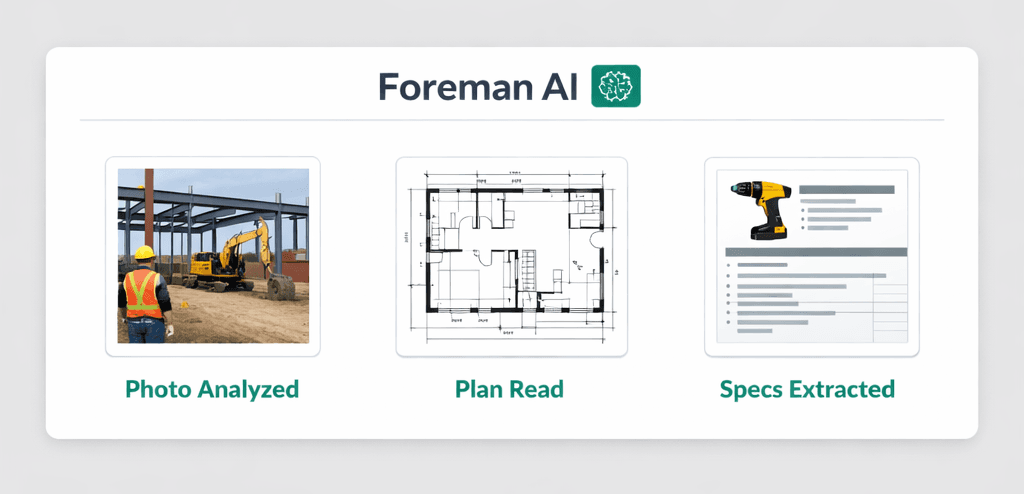
Point Your Phone at a Problem: How Foreman AI Reads Jobsite Photos, Floor Plans, and Product Images
Foreman AI reads the photos you already take—jobsite conditions, product spec sheets, floor plans, delivery receipts—and turns them into structured construction data and real actions inside Cornerstone PM. Paste or drag-drop an image and Foreman analyzes the content, not just stores it.
Builders are already living in photos. Every superintendent has a phone full of jobsite shots. Every purchasing manager has emailed a product spec sheet. Every project manager has a folder of floor plan PDFs. The gap is that most construction software treats these as dumb attachments—files to be stored, not information to be read. Your Foreman AI agent closes that gap. Drop an image into the chat and Foreman tells you what it sees, pulls out the structured data, and then takes action in your Cornerstone PM account.
What kinds of images can Foreman read?
Foreman AI's vision capability uses AI image analysis to read and interpret any image you can paste or drag-drop into the chat. The four use cases builders reach for most often:
Jobsite condition photos
Snap a photo of a framing issue, a damaged fixture, or an installation question. Foreman reads the image, describes what it sees, and can log a task, flag a vendor, or draft a scope note — all from one photo.
Floor plans and blueprints
Paste or drag-drop a floor plan image. Foreman reads the layout — room labels, dimensions, key annotations — and can cross-reference with scope items, open bids, or existing design options.
Product spec sheets and screenshots
Drop in a product image, a supplier screenshot, or a spec sheet. Foreman extracts the model number, dimensions, finish, and price — then creates the design option or purchase order directly.
Delivery receipts and packing slips
Photo a packing slip on a material delivery. Foreman reads the line items and can match them against open POs, flag discrepancies, and update delivery status — without a single manual keystroke.
The key distinction from simple file storage: Foreman is reading the image the way a knowledgeable colleague would read it—looking for meaning, pulling out specifics, and connecting what it sees to your active jobs, options, and vendors.
Why does vision matter more in construction than in other industries?
Construction is a uniquely visual business. Decisions that in other industries happen over spreadsheets happen in construction over photos, drawings, and physical samples. A tile selection isn't a SKU number to most builders—it's a photo on a phone that gets texted to the superintendent and the homebuyer simultaneously.
That visual-first workflow creates a constant translation problem: visual information has to be manually converted into structured data (option names, model numbers, vendor codes, scope notes) before it can live in your construction software. Every time a PM looks at a product image and types the model number into a purchase order, that's the translation tax. Foreman eliminates it. Show it the image; it does the translation.
Other construction platforms have attachment fields. Some have photo galleries. What they don't have is an AI that reads the content of the attachment and acts on it. The difference isn't cosmetic—it's whether your software is passively filing photos or actively working with them.
How does vision turn into action inside Cornerstone PM?
The vision capability is valuable on its own as an analysis tool. But what makes it a genuine operational advantage is that Foreman reads and writes your data—it doesn't just return an answer, it takes the next step.
Product photo → design option
- Drop a product image into Foreman chat
- Foreman identifies the product: brand, model, finish, and specs
- Foreman creates the design option in your Design Center with the correct name, model number, and spec level
- Foreman finds or generates a permanent hosted image URL and attaches it to the option
Floor plan → scope cross-reference
- Paste a floor plan image
- Foreman reads the layout and identifies rooms, dimensions, and annotations
- Foreman cross-references open scope items against the plan and flags gaps
- You get a structured list of scope items to verify or add — no manual comparison
Jobsite photo → task or issue
- Share a photo of a jobsite condition (wrong fixture installed, damaged material, unfinished work)
- Foreman describes what it sees and suggests a corrective action
- Foreman logs a task, drafts a vendor note, or flags the issue in the project — based on your instruction
- The photo is stored as an attachment to the task, not lost in a text thread
Each of these workflows ends with a real write operation in your Cornerstone PM account—a new option, a flagged task, an updated PO. The vision capability is the input layer; Foreman's 396+ action skills are what execute the output.
How is this different from the AI product image search feature?
Foreman has two distinct image-related capabilities and it's worth being precise about what each one does.
The AI product image search capability works outbound: you give Foreman a product name or model number, and it searches the web for the image, saves it to permanent hosted storage, and attaches it to your design option. It solves the broken-link problem by hosting the image permanently rather than linking to a supplier CDN.
The vision capability (what this post is about) works inbound: you give Foreman an image—any image you already have—and it reads and interprets the content. No product name required. No model number to look up. Just the image.
In practice you'll often chain them: take a photo of a product in a showroom, drop it into Foreman, Foreman identifies the product from the image, searches for the official product image from the supplier, hosts it permanently, and attaches it to the option. The inbound vision read and the outbound image search are designed to work together.
What competitors get wrong about construction photos
Most construction software vendors treat photo storage as a feature. “Upload and organize jobsite photos.” “Attach images to tasks.” “Share photos with your team.” These are file management features, not AI features. The photo gets stored; nothing reads it.
Buildertrend, CoConstruct, and JobTread all have photo galleries. None of them have an AI that reads the content of a photo and takes action on it. This isn't a minor feature gap—it's a fundamentally different conception of what construction software should do with the visual information that builders generate every day.
The industry is moving toward AI-native platforms, and vision is one of the clearest dividing lines. A platform that can read your photos is categorically more useful than one that files them.
Vision is available on Pro+—and it ships with every new Foreman skill
Foreman AI's vision capability is part of the Pro+ plan alongside the full 396+ skill catalog, per-user memory, company-wide memory, and REST API / BYOA access. Every time the Foreman skill catalog expands, vision gets more useful—because the AI that reads your photos gets better at connecting what it sees to the actions your account can take.
If you're using the MCP server on Claude Desktop, Cursor, or Windsurf, vision capability is available through the MCP connection as well. The same Foreman agent that reads a jobsite photo inside Cornerstone PM can read it from your external AI tool—no context switching required.
For a full overview of the Foreman AI skill catalog and plan availability, see the Foreman AI page. For builders evaluating the platform, the pricing page shows how Pro+ compares to Builder and Pro.
“Every other construction platform files your photos. Foreman reads them. Drop a product image into the chat and it identifies the product, pulls the specs, and creates the design option. Point it at a jobsite photo and it tells you what it sees and logs the issue. The gap between storing a photo and acting on one is where the work actually happens.”
Ready to put your jobsite photos to work?
Foreman AI reads photos, floor plans, and product images — then takes action inside Cornerstone PM. Part of the 396+ skill catalog available on Pro+.
Request Early Access