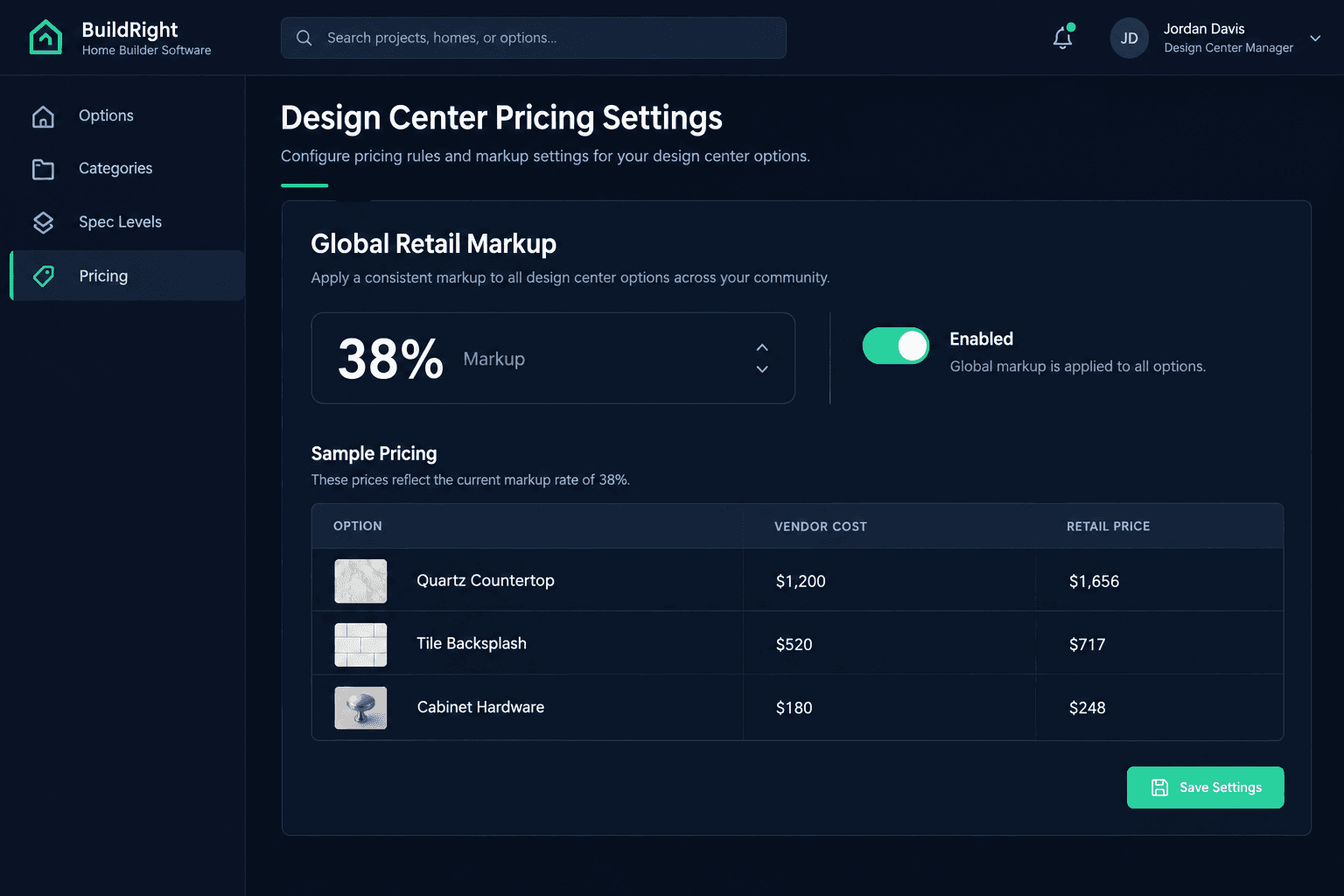
Global Retail Markup: Set a Design Center Pricing Policy Without Editing Every Option
A global retail markup lets a builder set one org-wide pricing policy for design center options instead of typing a markup percentage into every option by hand. Vendor cost stays exactly where it was accepted — only the buyer-facing retail number is calculated from it.
Most design centers get their pricing built the same way: one option at a time. Someone enters a cost, decides on a markup, and types a retail price. That works fine for the first fifty options. It breaks down at option two hundred, and it breaks down completely the day the builder decides the markup itself needs to change. The design center in Cornerstone PM now supports a global retail pricing mode built specifically for that second problem.
What does a global retail markup actually do?
Instead of setting a retail price on each individual design option, a builder sets one markup rate at the organization level. That rate applies across the catalog, so the buyer-facing price on an option is calculated from its accepted vendor cost plus the standing markup — not from a number someone typed in manually and then forgot about.
The practical effect is that a pricing policy decision — "we mark up design options by X%" — gets made once, in one place, instead of being re-implemented option by option every time the catalog grows.
Why does option-by-option pricing break down as a catalog grows?
None of these problems come from carelessness. They come from a pricing model that requires the same manual step to be repeated correctly, every time, forever:
One markup, typed hundreds of times
A builder decides on a 35% markup and then has to open every design option — sometimes hundreds of them across categories — to type the same percentage in one at a time.
Drift between categories
Cabinets get marked up correctly, but plumbing fixtures added last quarter never got the same treatment. Nobody decided that on purpose — it's just what happens when pricing is set option by option.
Policy changes mean re-touching everything
When the builder decides to move from 30% to 35% markup company-wide, the only way to apply it is to go back through the same catalog a second time.
A builder running a handful of floorplans might not notice this drift. A builder running a full design center with spec-level upgrade pricing across dozens of categories notices it constantly — usually when a buyer questions why two similar options carry different markup percentages for no visible reason.
Does the markup ever touch vendor cost?
No. Vendor cost and retail price are kept as separate, distinct records. The accepted cost for an option — the number a vendor actually bid and the builder accepted — does not move when a global markup policy is enabled or changed. The markup is a calculation layer on top of that cost, used to produce the number a buyer sees. Keeping the two separate means a builder can adjust buyer-facing pricing strategy without ever touching the underlying cost data used for budgets and purchase orders.
How should a builder roll this out safely?
Turning on an org-wide pricing rule is not something to do blind. Before enabling it, review how pricing is currently set across the catalog — some options may already carry a manually entered retail price, and it's worth knowing which ones before a policy change reaches them. After enabling the global rate, spot-check a representative sample of options across different categories and spec levels to confirm the resulting price looks right. Pay particular attention to options that are meant to be included at $0 in a given spec level — a markup policy should never turn a standard inclusion into a priced line, and that behavior is worth verifying directly in your account rather than assuming.
This pairs naturally with the way exclusion groups already keep category-level selection logic consistent — one is about which option a buyer can pick, the other is about what that option costs once picked.
One policy, not one edit per option
A global markup rate is a standing policy, not a one-time bulk edit. New options added later inherit the same rule automatically, instead of needing their own manual pricing pass.
Frequently asked questions
Does a global retail markup change what I paid a vendor?
No. The accepted vendor cost for an option is a separate, protected record. A global markup calculates the buyer-facing retail price from that cost — it never edits or overwrites the cost itself.
Can I still price individual options differently?
The global policy is meant to set a consistent baseline across the catalog rather than force every option to an identical formula forever. Review your current pricing settings to confirm which options are covered by the global rate and which retain independent pricing before you roll out a change.
What happens to options that are included for free at a given spec level?
Standard-level inclusions are meant to stay at $0 to the buyer regardless of markup settings. Spot-check a sample of your included options after enabling a global policy to confirm this behaves as expected in your catalog before buyers see pricing.
Why not just set markup once when I first build the catalog?
Catalogs change. New options get imported from vendor bids, categories get restructured, and spec levels shift. A one-time manual pass drifts the moment anything is added later. A standing global policy applies to new entries the same way it applied to the original catalog.
For the full picture of how pricing, options, and spec levels fit together in the design center, see Cornerstone PM's design center.
Stop re-typing your markup into every design option.
Cornerstone PM™ lets you set one retail pricing policy for the whole catalog — vendor cost stays separate, buyer pricing stays consistent.
Request Early Access