The Vendor Showed Up. Does Your Schedule Know Yet?
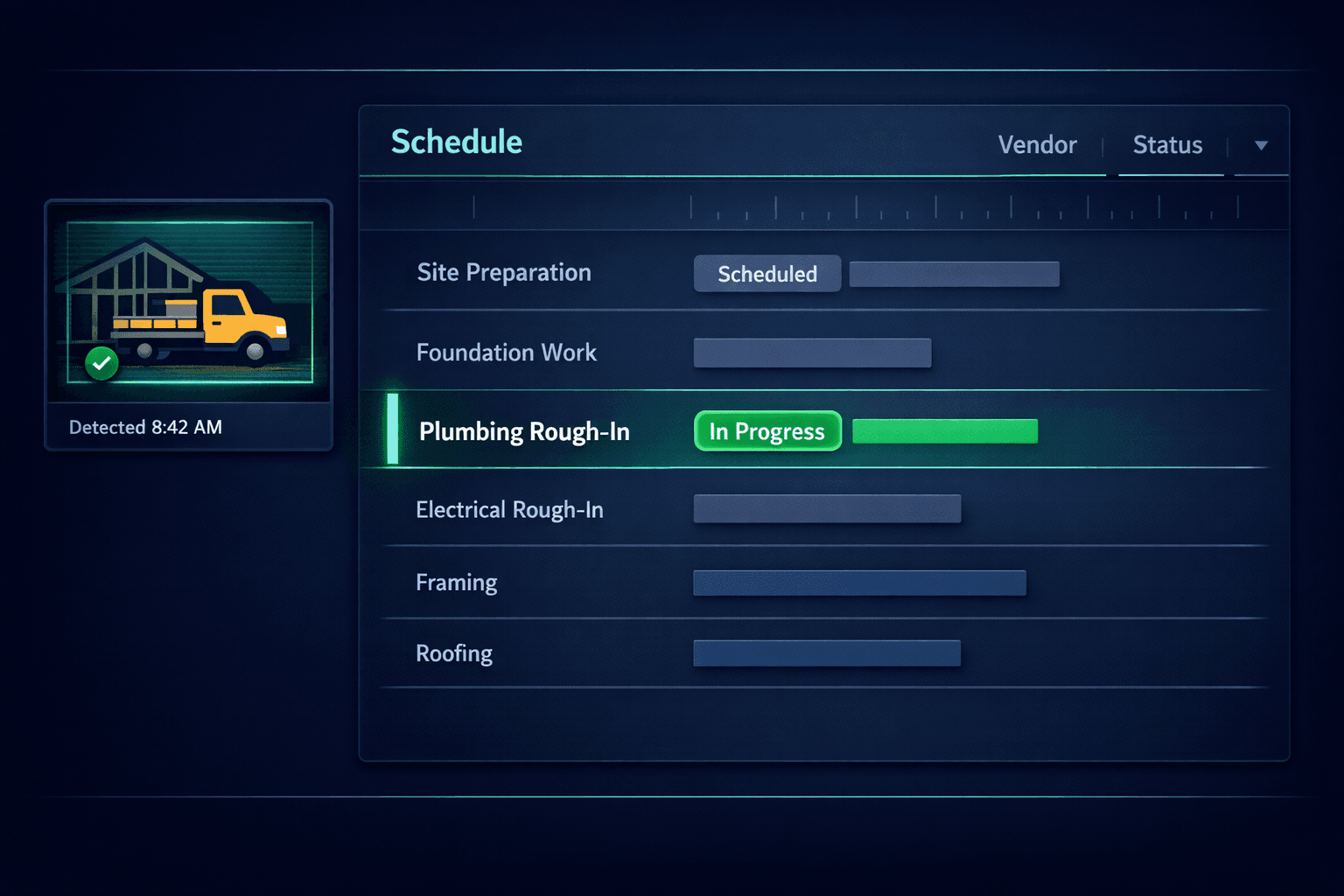
Most construction schedules only update when a superintendent remembers to log in and mark a task started. Cornerstone's Jobsite AI skips that step entirely — the moment a vendor arrives on site, from any camera, gate, or GPS signal already in place, the matching task flips to In Progress on its own.
Ask any superintendent how they know a trade is actually on site, and the honest answer is usually “I drove by” or “they texted me.” The schedule itself — the system of record everyone else is supposed to be reading — lags reality by hours, sometimes a full day. Multiply that across 20 or 30 active homes in a community and the gap between what the schedule says and what's actually happening on the ground becomes the default state, not the exception.
Why does the schedule lag what's happening on site?
Because logging status has always required a person to stop what they're doing and do data entry. A framer shows up at 7 AM and starts working — nobody opens an app to record that. The task gets marked “In Progress” hours later, if at all, usually when someone checks in for an unrelated reason. That lag means every dashboard, every report, every downstream automation built on top of the schedule is working from stale data.
Builders already own the hardware that could close this gap. Jobsite cameras, model-home doorbells, gate access systems, and GPS-tracked vendor fleets all know exactly when a truck rolls onto a lot. That signal just never made it back to the construction schedule — until now.
How does vendor presence detection actually work?
When a source detects a vendor — a camera catching a truck, a gate badge scan, a GPS geofence trigger — it sends an event to Cornerstone. The matching engine resolves which home the event belongs to (a registered camera maps directly to a home, with community-level and location-based fallbacks for anything less precise), finds the active scheduled task for that vendor, and flips it to In Progress. A departure event later closes the loop, logging real hours on site instead of an estimate.
Sources Jobsite AI already reads from
Jobsite cameras
Sensera, OxBlue, EarthCam, Reolink, Verkada — any brand
Smart doorbells
Ring or Nest at the model home or trailer
Gate & badge systems
Brivo, Openpath, ButterflyMX, gate keypads
GPS fleet tracking
Samsara, Verizon Connect, Geotab geofence triggers
Manual check-in
Vendor taps Arrived in a mobile portal — counts the same
Any webhook source
If it can POST an event, Cornerstone can turn it into a task update
Camera-agnostic, sensor-agnostic — if it can fire a webhook, it works.
A vendor who doesn't have a smart camera or gate on their route isn't left out. Manual check-in through a mobile portal counts exactly the same as an automated detection — the schedule doesn't care which signal arrived first, only that one did.
What happens when a vendor doesn't show up?
The same detection layer that confirms arrivals also flags absences. If a vendor scheduled for a start window never triggers a presence event, the project manager gets a heads-up before the day is lost — instead of discovering a no-show at 4 PM when nothing on the lot has moved. An unrecognized vehicle on site triggers its own alert, giving builders a security signal they didn't have to build themselves.
Why does this matter more at production scale?
A custom builder running two jobs can eyeball both lots in a morning drive-by. A production builder running dozens of active homes across multiple communities can't — and shouldn't need to. Presence detection turns “is the framer there yet?” from a phone call into a fact that's already on the community schedule before anyone thinks to ask.
It also compounds with everything else already running on schedule events. Cornerstone's cascade scheduling reacts to task status changes the same way whether a superintendent typed the update or a camera detected it — so an auto-started task still ripples correctly through downstream dependencies, and purchase orders tied to that task still fire on schedule.
What builders get without extra data entry
Real start and end times
Timestamps from actual events, not what someone remembered at 5 PM
Photo evidence on every transition
A snapshot attaches automatically to the task's audit log
No-show alerts
Flagged before the missed day is unrecoverable
Vendor scorecards built on facts
On-time percentage and hours on site feed future bid-award decisions
How does this fit the rest of the platform?
Jobsite AI sits inside Cornerstone's home builder project management platform, not off to the side of it. A presence event updates the same schedule that drives cascade rescheduling, feeds the same purchasing module that generates POs from assigned tasks, and writes to the same audit trail builders already rely on for disputes and QA. There's no separate presence-tracking tool to reconcile against the schedule of record — it is the schedule of record, just updated by the jobsite instead of by hand.
None of this requires new hardware for most builders. If a camera, gate system, or fleet tracker already exists on a community, the only step is wiring its webhook into Cornerstone. The schedule stops depending on someone remembering to log in — it starts reporting itself.
Let the jobsite update its own schedule.
Jobsite AI turns cameras, gates, and GPS signals you already have into automatic task updates — no phone calls, no manual check-ins required. See it running on a live schedule.
Request Early Access