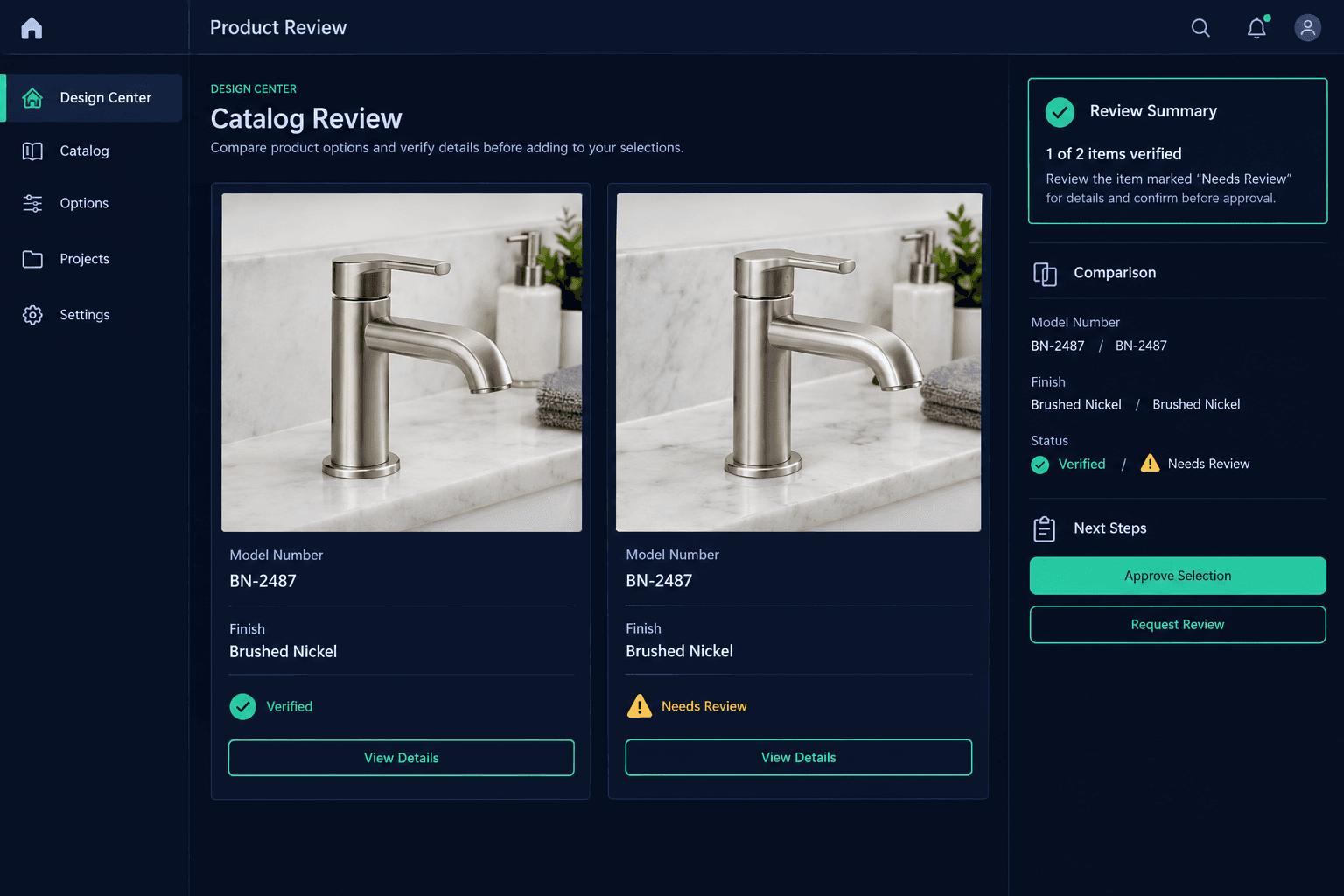
The Photo Looks Right, but Is It the Right Model? Review Design Option Images
A product photo that looks correct at a glance can still belong to the wrong model — a stored image only confirms what's in the design center, not that it matches the model number buyers think they're choosing.
Two faucets in the same brushed-nickel finish can be entirely different products once you check the model number — different spout height, different trim, a different price. A photo review that only checks "does this look like a bathroom faucet" misses that every time. The check that matters is narrower: does this specific image match this specific model number.
Why does a correct-looking photo still need a model check?
A design option's image exists to help a buyer recognize what they're selecting — it isn't proof of what the option actually is. Storing a photo confirms that an image is attached to the option, not that the image, the model number, and the finish all describe the same product. Those three fields can drift apart quietly: a photo gets swapped during a catalog update, a model number gets typed from memory, or a supplier re-numbers a product line without anyone updating the option.
None of that shows up on a glance. It only shows up when someone compares the stored image against the model number field, and the model number field against the supplier's current listing.
Confirmed Match
The stored image, the model number field, and the finish all agree with the supplier's current listing — the option is ready for buyers to select.
Unverified Image
A photo is attached, but the model number or finish hasn't been checked against it — not confirmed wrong, just not yet confirmed right.
How does Foreman help with the image side of the review?
Foreman can analyze a supplied product image and read back what's visible in it — a printed model number, a finish marking on the fixture, visible text on a box or spec label. That's useful exactly where a human reviewer would otherwise squint at a small photo: pulling the readable details out of the image faster so the catalog owner can line them up against the supplier source.
What Foreman doesn't do is settle the question on its own. Analyzing an image tells you what's visible in it — it doesn't establish that the product is in stock, that the catalog owner has permission to use that photo, or that the image is the correct one for that model number if the label itself isn't legible. Those are confirmations a person makes, informed by what Foreman surfaces.
What happens when the label isn't readable?
Treat it as a hold, not a pass. A blurry model number, a cropped finish tag, or a product shot with no visible labeling at all means the review can't be completed from the image alone — not that the image is probably fine. The catalog owner should go back to the supplier's product page, price sheet, or a clearer photo before approving the option for the design center.
This matters most on options that were sourced from a supplier's site and saved to hosted storage — the image stops being able to change out from under you, but it still needs to be the right image in the first place.
A stored photo is a reference, not a guarantee
Cornerstone keeps a design option's image, model number, and finish as separate fields on purpose — so a reviewer can check each one against the supplier source instead of assuming they already agree because a photo is attached.
Why catch this before buyers choose, not after?
A buyer who selects based on a mismatched photo isn't choosing what they think they're choosing — and that gap usually doesn't surface until the product shows up on site, or doesn't match the quote a vendor submits for that model. Reviewing the image against the model number before the option goes live is a few minutes of work. Catching it after a buyer has already selected means a change order conversation instead.
None of this replaces the catalog owner's judgment about which supplier listing is current or which photo best represents a product — it just means that judgment gets made with the model number and the image actually compared, not assumed to match. See how Foreman AI assists that review inside Cornerstone PM's design center.
Catch a mismatched product photo before buyers ever see it.
Foreman reads the visible details in a design option's image so your catalog owner can confirm the model number and finish match the supplier source — faster review, same human sign-off.
Request Early Access