Smart Budget Pricing: Stop Pricing Every Material Option Into Your Budget
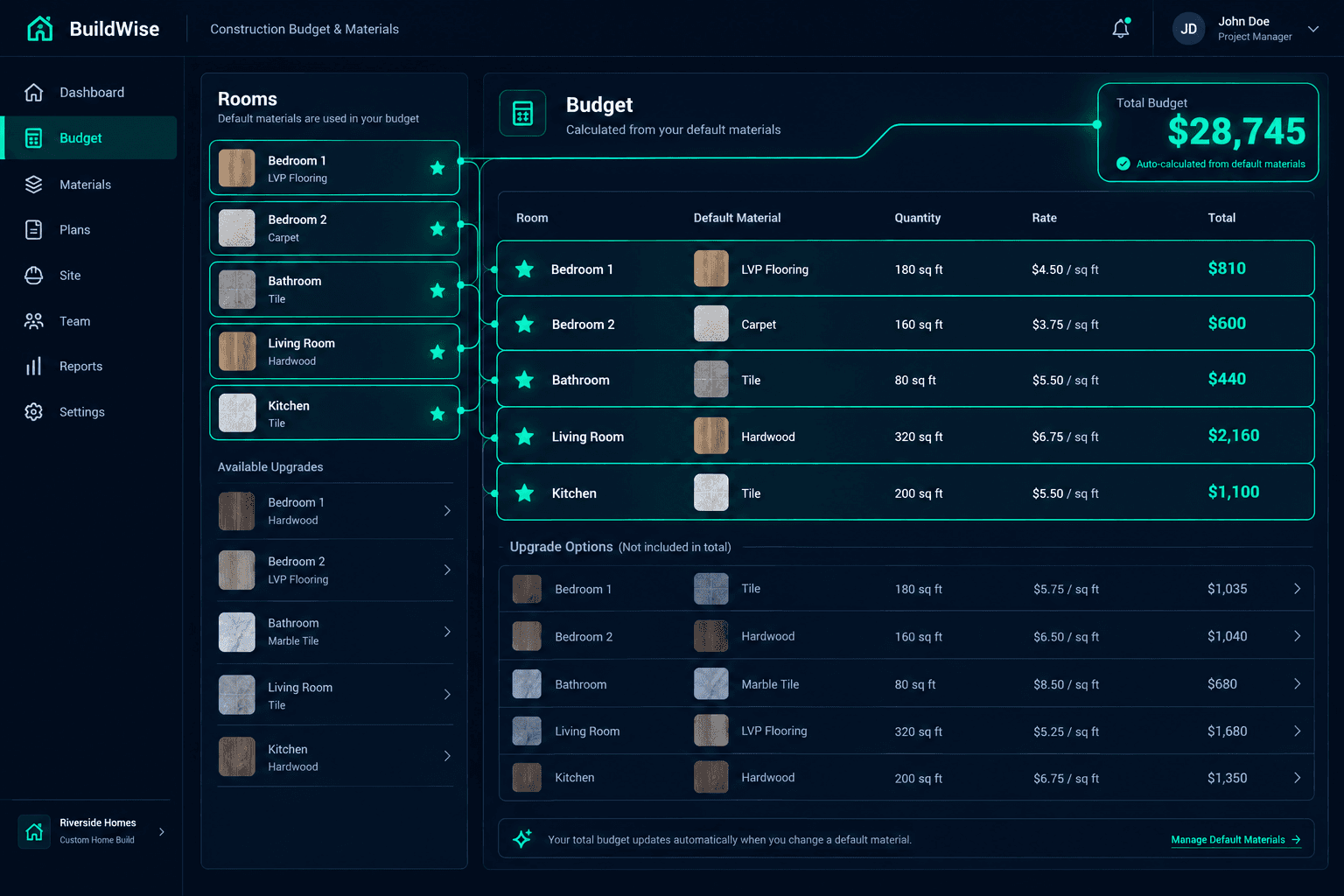
Cornerstone PM’s Smart Budget Pricing calculates construction budgets from the one material you’ve designated as the standard for each room — not every competing option a buyer could pick. Mark the default with a star toggle, and the base budget prices itself correctly the first time.
Why Does a Budget End Up Pricing Every Flooring Option?
Picture a living room in a standard floorplan with four flooring options available to buyers in the design center: Carpet, Floor Tile, Hardwood, and LVP — all measured against the same square footage. Without a rule that distinguishes “available to buyers” from “what the base budget should actually cost,” a naive budget engine prices all four. One room becomes four line items instead of one, and the base cost balloons far past what the home will actually ship with.
Multiply that across every room with competing material types — bedrooms, bathrooms, kitchens, living areas — and a production builder’s base budget can be inflated by tens of thousands of dollars before a single buyer has made a selection. That inflated number then becomes the baseline everyone argues about: sales thinks the home costs more than it does, and purchasing can’t reconcile the budget against actual vendor pricing.
How the Star Toggle Fixes It
Cornerstone PM solves this with a per-room default flag. For every room-level scope entry (what Cornerstone calls a FLOC — FloorplanLocationScope) representing a material type, builders mark the standard option with a star in the takeoffs UI. That star is the single source of truth for which material feeds the base budget.
Set up room-level scopes
Builder creates a FLOC entry for each material type available in a room — Carpet, Tile, Hardwood, LVP.
Mark the default
One material per competing group gets the star toggle — the standard, builder-chosen option for that room.
Budget calculates itself
Default FLOC quantity × OptionClassPrice at the community's spec level becomes the base cost. Nothing else is priced in.
Non-default materials don’t disappear — they stay fully available as upgrade options in the design center. A buyer can still choose Hardwood over the default Carpet. The difference is that the base budget never carried Hardwood’s cost in the first place, so the upgrade price shown to the buyer is an honest delta, not a rounding error buried inside an already-inflated number.
One Source of Truth From Budget to Purchase Order
The same default-aware data flows through three stages of the build, each pulling from the same record instead of a disconnected spreadsheet or a re-typed number:
- Budget: Default FLOC quantity × spec-level pricing = base cost
- Selections: Buyer picks from every available material type per room, not just the default
- Purchase Order: The actual selected product with room-specific quantities goes to the vendor
Because budget, selections, and the purchase order all read from the same FLOC data, there’s no step where someone re-estimates or re-keys a number by hand. If the default material changes — say, a community repositions from Carpet-standard to LVP-standard — updating the star toggle updates the base budget everywhere that room type appears, instantly.
Per-Room Granularity, Not Just Per-Category
Smart Budget Pricing operates at the room level, not the plan or category level. That matters because different rooms genuinely need different default materials:
Bedrooms
Carpet (default)
Bathrooms
Floor Tile (default)
Living Areas
Hardwood (default)
Mudroom / Laundry
LVP (default)
Each room’s budget line prices from its own default, independently. A builder doesn’t have to force one flooring type across the whole plan just to keep the budget math simple — the granularity that buyers actually experience in the design center is the same granularity the budget respects.
What Buildertrend, JobTread, and Spreadsheets Do Instead
No competitor offers this level of granularity. Platforms built for custom and semi-custom builders typically fall into one of three gaps: they don’t support per-room material pricing at all and rely on flat budget lines, they require the estimator to manually enter a budget number per room with no automation from design center data, or they simply can’t distinguish between “options available to buyers” and “what actually belongs in the base budget” at the room level.
Spreadsheet-based estimating has the same problem in a different form — someone has to remember, room by room, plan by plan, which material is the real default versus which ones are just listed as options. That tribal knowledge lives in one estimator’s head until it doesn’t. Cornerstone is the only platform where per-location design center data automatically feeds into construction budgets with default-aware pricing built in.
Pairs With the Rest of the Design Stack
Smart Budget Pricing connects directly to the other pieces of Cornerstone’s purchasing system:
- Designer Packages auto-lock category options when selected — the default-material budget stays accurate underneath
- Exclusion groups (Pick One flooring, roofing, countertops) resolve to the correct selection without disturbing the base budget
- Sqft-linked auto-quantity scope items reprice every floorplan and structural option automatically alongside default-material pricing
- Foreman AI (396+ skills) can flag rooms with no default set, or materials marked default that no longer match current vendor pricing
Is This the Right Fit for Your Operation?
If you’re a production builder offering multiple material options per room across floorplans and communities, Smart Budget Pricing removes a recurring source of inflated, inaccurate base budgets — and the manual cross-checking that goes with catching it after the fact.
For a broader look at how Cornerstone PM’s design center compares to the platforms production builders typically evaluate, see the home builder project management software overview.
Price Every Room Once — Correctly
Set the default material per room and let Cornerstone PM’s budget engine do the rest — across every floorplan, every community, every spec level.
Request Early Access