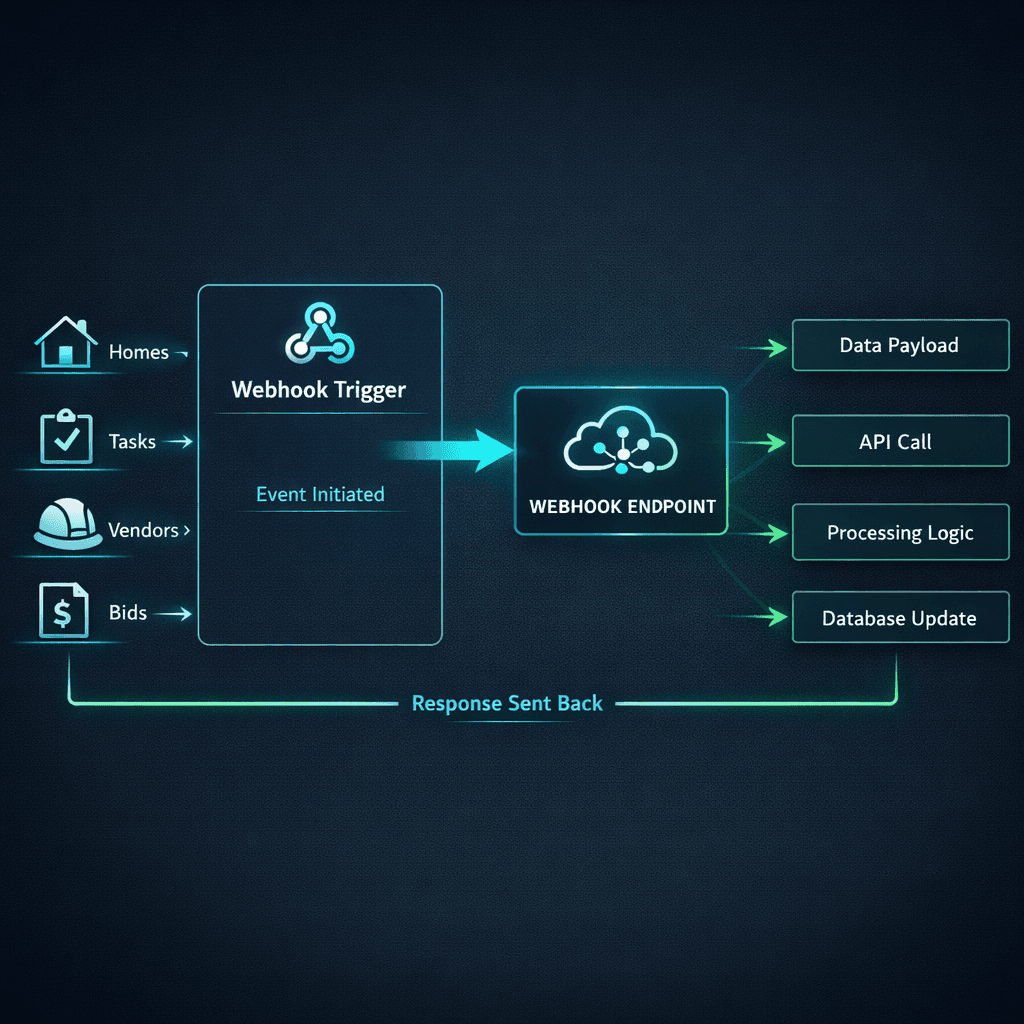
37 Webhook Events: The Automation Layer Most Construction Software Forgets
Cornerstone PM ships 37 named webhook events with typed payloads, HMAC-SHA256 signatures, delivery logs, and automatic retry — not a checkbox that says “webhooks: yes.” That distinction matters when you're wiring Twilio SMS to a task assignment, routing a bid submission to your CRM, or triggering a voice call the moment a deadline slips. The automation layer is only as useful as the events it can listen to.
For a full overview of the Cornerstone PM platform and how it compares to other tools in the market, start with the home builder project management software guide. This post goes deep on the webhook system specifically — what it covers, why the catalog matters, and the real-world automation plays builders are running on top of it.
Why does “webhooks exist” mean almost nothing?
When enterprise software says “we have webhooks,” that typically means one or two generic events — maybe a “record updated” trigger — with no documentation on what fields the payload includes, no way to verify the request actually came from the platform, and no visibility into whether delivery succeeded or failed.
That kind of webhook is technically true and practically useless. You can't build reliable automation on top of an untyped payload with no retry logic and no delivery log. When the event fires and your downstream system doesn't react, you have no idea whether the webhook fired at all, what the payload contained, or where in the chain things broke.
Cornerstone PM took a different approach: publish a named catalog of 37 events, each with a documented payload schema, each signed with HMAC-SHA256, each tracked through a delivery log with per-event retry controls. The goal was to make the platform automation-friendly at the same level as mature API-first SaaS tools — not to check a feature box.
The 37 webhook events: what's in the catalog
Events are organized into six categories that map to the actual workflow stages of residential home building. Here's how the catalog breaks down:
home.createdhome.stage_changedhome.contract_signedhome.closedhome.cancelled
task.assignedtask.completedtask.overdueschedule.milestone_reachedschedule.delay_detected
vendor.bid_requestedvendor.bid_submittedvendor.bid_declinedvendor.award_issuedvendor.invoice_received
lead.createdlead.stage_changedappointment.scheduledquote.sentcontract.executed
cascade.triggeredcascade.phase_completedcascade.blocked
bid_request.sentbid_request.viewedbid_request.submittedbid_request.expired
The remaining events cover the Messages category (new messages, read receipts, broadcast confirmations) and additional lifecycle edge cases. The full catalog covers every meaningful state transition a home goes through from lead to close — and every action that matters to the vendors and subs working in the field.
What makes these webhooks useful: signatures, logs, and retry
Three infrastructure pieces turn a webhook catalog into a reliable automation layer:
HMAC-SHA256 signatures
Every request is signed with a shared secret. Your receiver verifies the signature before processing — confirming the event came from Cornerstone PM and wasn't tampered with. This is standard practice for webhook security but missing from most construction software implementations.
Delivery logs
In Settings → Webhooks, you can see every fired event: timestamp, target URL, response code, and payload. When something breaks in your automation chain, you know immediately whether the webhook fired, what it sent, and whether your endpoint acknowledged it.
Automatic retry
If your endpoint returns a non-2xx response, Cornerstone PM queues automatic retries with exponential backoff. A momentary downstream outage doesn't mean a lost event — the system keeps trying until delivery succeeds or a retry limit is reached.
Real-world automation plays builders are running
The catalog is the foundation; the plays are where it gets interesting. Here are three automation patterns that production builders are running on top of the Cornerstone PM webhook system today:
1. SMS subcontractor notifications via Twilio
When task.assignedfires, a lightweight receiver pulls the vendor phone number from the payload and fires a Twilio SMS: “You've been assigned framing on Lot 14 — Magnolia Plan. Start date: June 10. Questions? Reply here.” No app login required for the sub, no manual notification from the super. The event fires when the task is assigned; the text arrives in seconds.
2. Voice calls on missed deadlines via Bland or Retell
When task.overdue fires or bid_request.expired triggers, a receiver kicks off an AI voice call through Bland or Retell to the responsible vendor. The call reads from the typed payload — vendor name, task name, due date — and asks for a status update. No super has to make the call manually. The platform notices the slip; the voice agent makes the contact.
3. CRM pipeline sync on sales events
When lead.stage_changed or contract.executed fires, a receiver pushes the update to HubSpot, Salesforce, or whatever CRM the sales team uses. Home stage in Cornerstone PM stays in sync with deal stage in the CRM with zero manual entry. When a contract executes, the CRM closes the deal automatically.
How this compares to “webhooks exist” in other construction software
| Capability | Most platforms | Cornerstone PM™ |
|---|---|---|
| Named event catalog | 1–3 generic events | 37 named events |
| Typed payload schema | ||
| HMAC-SHA256 signature | ||
| Delivery log per event | ||
| Automatic retry | ||
| REST API + BYOA layer | 150+ endpoints |
Webhooks + REST API + BYOA: the full bidirectional layer
Webhooks push events out. The Cornerstone PM REST API (Pro+ exclusive) lets external agents and scripts read and write data in. Together they form a full bidirectional automation layer: webhooks tell your stack what happened; the API lets your stack act on it.
The REST API ships 150+ endpoints across 84 dedicated routes plus a generic execute endpoint that covers all 396+ Foreman skills — in Anthropic tool-call format, OpenAI function-call format, and OpenAPI 3.1. BYOA (Bring Your Own AI Agent) means every endpoint maps directly to a Foreman skill: when Foreman ships a new skill, your BYOA agent gets it automatically with no configuration required. JobTread and Buildertrend say “webhooks exist” and “API available.” Cornerstone PM ships the full skill catalog as endpoints.
And on top of that, the MCP server in app settings lets Claude Desktop, Cursor, and Windsurf connect directly to Foreman AI's skill catalog without writing any integration code. Webhooks are the outbound half; MCP is the no-code inbound half; REST API is the full-control path. It's the same philosophy as the Foreman skill catalog: ship infrastructure that gets better every time a new skill lands, without asking builders to reconfigure anything.
What “automation-friendly” actually means for a home builder
The construction software market uses “automation-friendly” as a marketing phrase. What it means in practice depends entirely on the depth of the event catalog and the reliability of delivery.
A platform with three generic webhooks and no HMAC verification is not automation-friendly. It's a platform where you can technically wire a Zapier automation that fires on “record updated” — and then spend the next hour debugging whether it was a task update, a vendor update, or a home record update, because the payload doesn't tell you.
A platform with 37 named events, typed payloads, HMAC verification, delivery logs, and retry is automation-friendly. Your receiver knows exactly what happened, exactly what data arrived, and exactly what to do with it. The integration layer is reliable enough to build real workflows on — not just demos.
Build automations your construction software actually supports.
Cornerstone PM ships 37 named webhook events, 150+ REST API endpoints, a BYOA layer built on 396+ Foreman skills, and an MCP server for direct AI agent access — all in one platform built for production home builders.
Request Early Access →