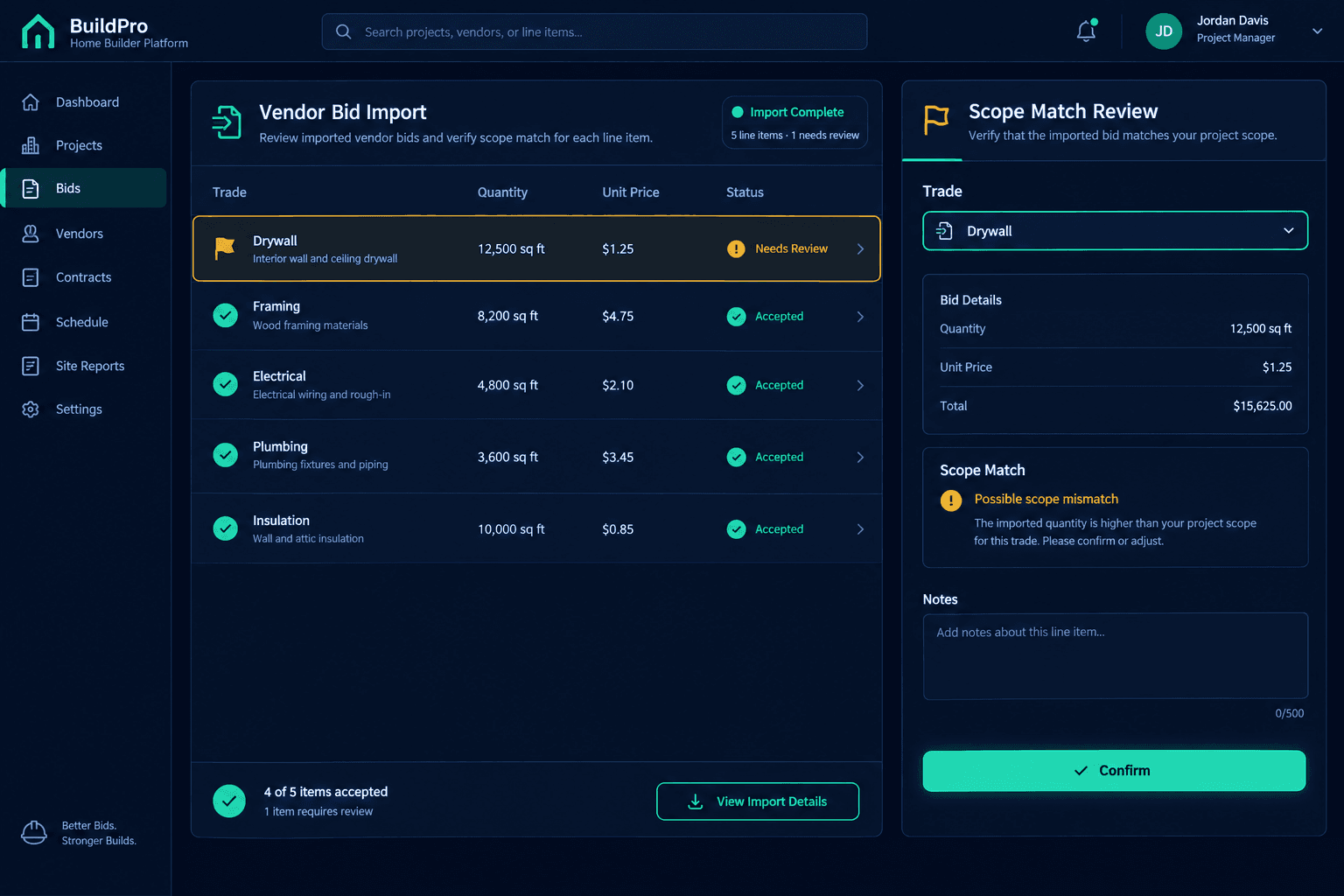
The Quote Imported Into the Wrong Trade: Review AI Scope Matching
Before accepting any imported vendor price, check the suggested trade, scope item, quantity, and unit against the vendor's original quote — AI scope matching is there to organize a messy quote for review, not to make the acceptance decision for you.
Vendor quotes rarely map cleanly to a single trade. A mixed-trade spreadsheet can list a drywall contractor's framing add-on next to their hang-and-finish line, or bury a plumber's gas line work inside a section labeled "rough-in." A description that reads plausibly on its own can still land under the wrong scope item once it's pulled into a budget — and that's exactly the gap scope matching is built to narrow, not eliminate.
Why do vendor quotes end up mismatched to begin with?
Most vendors write quotes the way their own back office tracks cost, not the way a builder's budget is organized by scope item. A drywall contractor may fold a small framing repair into their own line item instead of breaking it out. A general trim contractor might combine interior and exterior trim on one line because that's how they price labor internally. None of this is an error on the vendor's part — it's just a different way of organizing the same work.
The mismatch shows up once that quote gets imported against a budget that expects each line to map to one trade and one scope item. A line that reads correctly in the vendor's own format can still need to be split, reassigned, or corrected before it belongs where the builder's cost tracking expects it.
AI Scope Matching
Reads an imported line and suggests the trade, scope item, quantity, and unit it most likely belongs to — a starting point that organizes a messy quote for human review.
Purchasing Review
Confirms the suggested trade and scope against what the vendor actually wrote, corrects anything that's off, and decides what pricing gets accepted into the budget.
What should a reviewer check before accepting a suggested match?
Start with the trade. Does the suggested trade match what the line item actually describes, not just the vendor's business name? A vendor can legitimately quote work outside their primary trade, so the description on the line matters more than who submitted it.
Next, check the scope item inside that trade. Plumbing alone can split into rough-in, trim, water supply, and sewer — getting the trade right doesn't guarantee the specific scope item is right too. Last, confirm quantity and unit. A line correctly matched to the right trade and scope is still wrong if it was quoted per linear foot and imported as a lump sum, or vice versa.
What happens after a line is confirmed or corrected?
Once the trade, scope, quantity, and unit all check out, the price gets accepted and that accepted vendor pricing is what supplies the actual cost to the budget. A suggested match that was corrected before acceptance behaves no differently going forward than one that was right the first time — the budget only reflects pricing a reviewer actually accepted.
This same discipline matters most on quotes that arrive through a bid request with multiple vendors responding at once — each one in their own format, each one needing the same line-by-line check before any of the numbers get compared side by side.
Cornerstone suggests the match — purchasing accepts the price
Cornerstone's bid import reads an imported quote and suggests the trade, scope item, quantity, and unit for each line so purchasing isn't starting from a blank spreadsheet. It does not show a confidence score, guarantee the suggestion is error-free, or accept pricing automatically — every suggested match stays open for review, correction, and manual acceptance before it ever supplies a cost to the budget.
Why treat every suggested match as a draft, not a final answer?
A suggestion that's right nine times out of ten is still wrong on the tenth line, and a mismatched trade or scope item that slips through doesn't just misprice one quote — it misprices whatever budget comparison gets built on top of it later. Reading the vendor's original description against the suggested trade, scope, quantity, and unit takes a few extra seconds per line and catches the mismatch before it reaches the budget instead of after.
None of this replaces purchasing judgment — it organizes the review so a reviewer can move through a long, mixed-trade quote faster without skipping the check. For the full workflow this review sits inside, from vendor bid to accepted price, see Cornerstone PM's purchasing module.
Review every imported quote before it hits the budget.
Cornerstone PM suggests the trade and scope for every imported line, so purchasing can confirm, correct, and accept pricing faster — without losing the review step.
Request Early Access