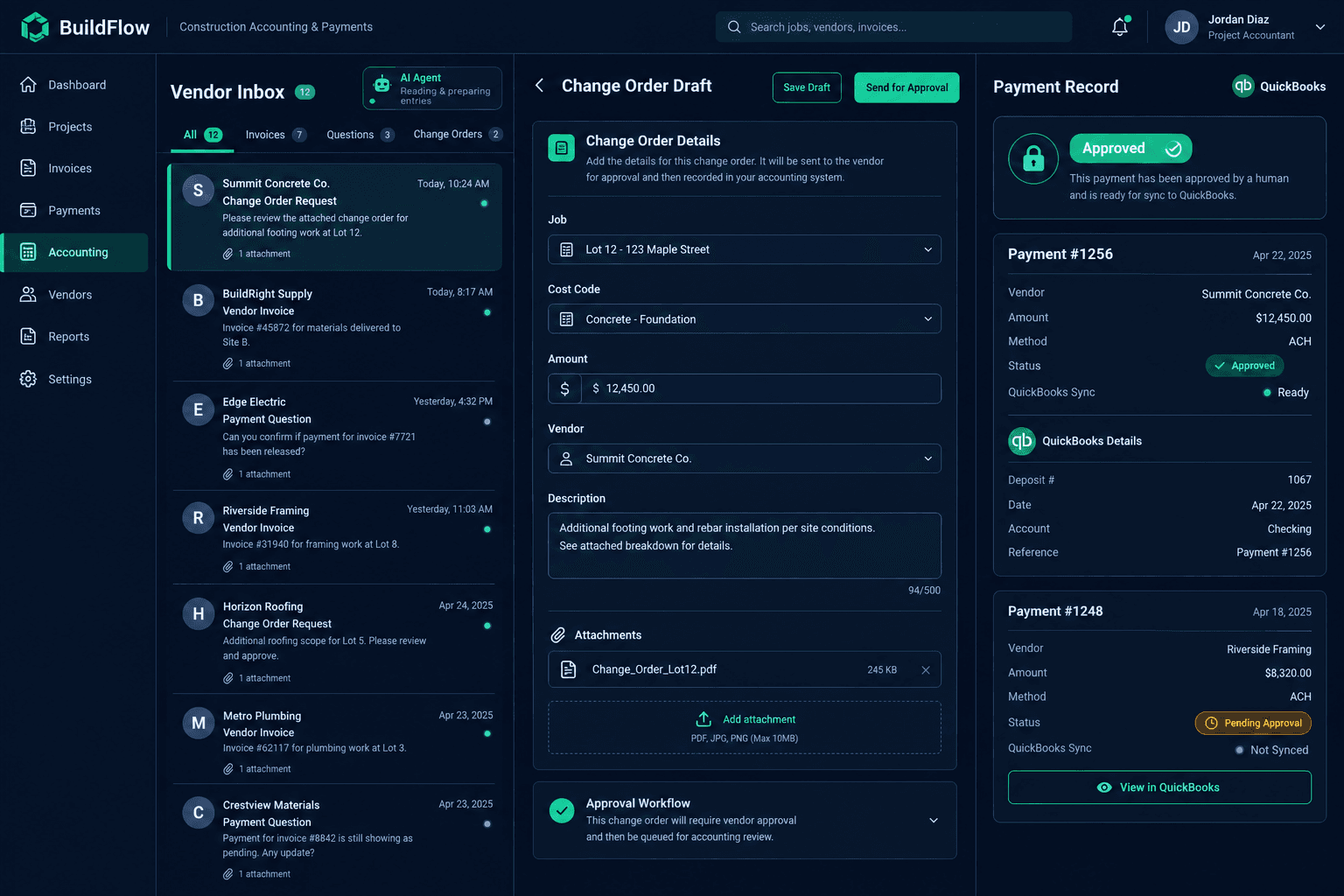
An AI Accounting Inbox for Builders: Prepare the Work, Keep the Approvals
An AI accounting inbox gives a configured external agent its own email address to read vendor bills and payment questions, prepare Cornerstone change orders from real records, and hand them to you for approval — while payments and sign-off stay entirely in human hands.
Builders running Foreman AI already have a construction-specific agent inside Cornerstone. The accounting inbox is a different, complementary idea: a Bring Your Own Agent (BYOA) workflow where you connect an external AI agent — one you configure and maintain — to the Cornerstone API and the QuickBooks Online API to work the daily accounting queue.
What problem does this actually solve?
Accounting inboxes on a production home building operation fill up fast: vendor bills arrive as PDFs and phone-camera photos, vendors email asking when they'll get paid, and every one of those messages needs to be matched to the right job, cost code, and purchase order before anything can move forward. That matching work is repetitive and time-consuming, but it isn't judgment work — it's lookup work.
A configured agent can do that lookup work continuously: read the bill, find the matching job and PO in Cornerstone, check the payment record in QuickBooks, and draft a change order or a reply. What it doesn't do is approve anything. That line stays fixed on purpose.
How is this different from the built-in QuickBooks connection?
Cornerstone's one-click QuickBooks connection already syncs jobs, cost codes, bills, and payments automatically — no agent, no extra setup, no separate inbox. The accounting inbox described here is a separate, more advanced workflow layered on top of that foundation. It needs:
- An external AI agent you bring, configure, and maintain — Cornerstone doesn't ship a pre-built accounting bot.
- Cornerstone API access, included on Pro+ or Enterprise.
- Separately configured QuickBooks API access for your agent.
- A dedicated email inbox for the agent to monitor.
If you just want bills and payments to sync, the built-in connection already handles that. The accounting inbox is for teams that want an agent actively working the correspondence layer — reading, matching, and drafting — on top of synced data.
Three workflows a configured agent can run
Bill screenshot to change order
Drop a screenshot or attachment of a vendor bill into your connected agent. It reads the bill, matches it to the right job and cost code in Cornerstone, and drafts a change order for your review.
A dedicated accounting inbox
Give the agent its own accounting email address. It answers vendor payment questions using real QuickBooks payment records and Cornerstone job, PO, and change-order details — not guesses.
Vendor email to approval-ready CO
Incoming vendor emails with attached bills get turned into change orders in Cornerstone, sitting ready for your approval instead of buried in an inbox waiting to be re-keyed by hand.
Where the line stays fixed: approvals
An agent that drafts change orders is useful. An agent that approves them or releases payment is a liability. Cornerstone's BYOA pattern for accounting keeps human approval mandatory at every step that involves money:
Automate the legwork, not the approval authority
You review and approve every change order the agent drafts. Vendor payments still require manual approval inside QuickBooks. If the agent hits a bill it can't match to a job, PO, or change order, the correct behavior is to flag the discrepancy to a person — never to guess a payment date or invent a match.
What this is not
This isn't a built-in, one-click Cornerstone feature, and it isn't a replacement for accounting staff. It's a pattern for teams with the technical capacity to bring and operate their own agent against Cornerstone's API and QuickBooks' API. If that's not your team today, the built-in QuickBooks sync still covers the core job-costing and payment-tracking loop without any agent required.
Getting started
The prerequisites are Cornerstone Pro+ or Enterprise for API access, a QuickBooks Online account with API access configured, a dedicated inbox, and an external agent your team builds and maintains. From there, the workflows above — bill-to-change-order, inbox Q&A, and vendor-email-to-CO — are patterns to implement against Cornerstone's 238 API operations, not a toggle to switch on.
See the API surface behind BYOA workflows
Pro+ and Enterprise include full Cornerstone API access for builders who want to bring their own agents. Request early access to see it live.
Request Early Access