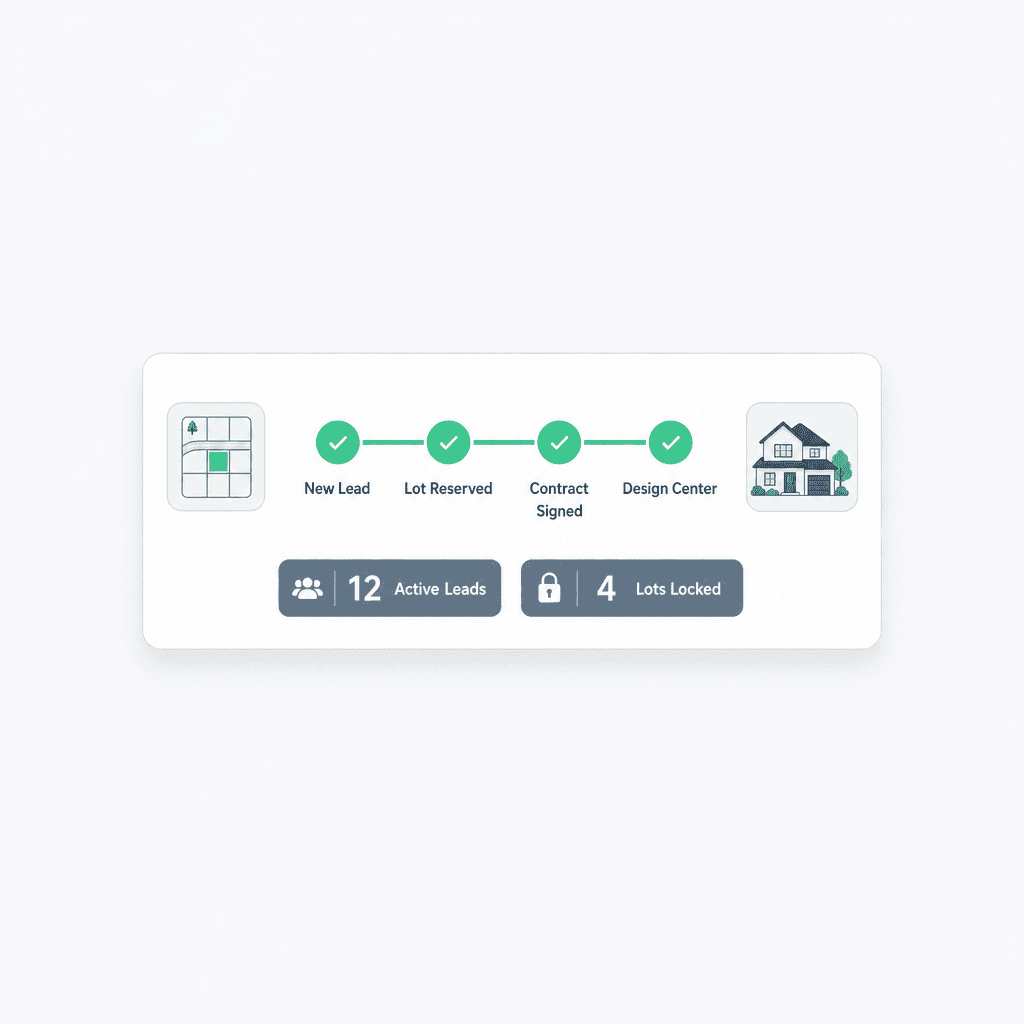
From Lead to Locked Lot: A Sales Pipeline Built for Home Builders
Cornerstone PM's sales pipeline connects leads directly to lots, floorplans, and communities — so when a lot locks, the build pipeline starts and buyer data flows to the Design Center without anyone re-entering a single field.
Generic CRMs were built for software sales, consulting engagements, and e-commerce. They're excellent at tracking contacts through a deal funnel. But a home builder's sales process isn't a deal funnel — it's a lot reservation, a floorplan selection, a pre-qualification, and a contract that kicks off a 6-month build. None of that maps cleanly to "Prospect → Qualified → Proposal → Closed Won."
The result for builders who try to use HubSpot, Salesforce, or even general-purpose construction CRMs: a disconnect between sales and operations that gets bridged by spreadsheets, copy-paste, and tribal knowledge — exactly the kind of friction that loses buyers and misses starts.
Why do generic CRMs fail home builders?
The gap isn't features — it's the data model. Generic CRMs were designed around contacts, accounts, and deals. None of those primitives understand a lot, a spec home, a community map, a floorplan, or a buyer selection sheet. Builders work around this by adding custom fields, but custom fields on the wrong data model is a house of cards that collapses every time a sales agent leaves or a process changes.
No lot or community model
HubSpot and Salesforce think in 'contacts' and 'deals.' They have no concept of a lot, a spec home, or a community map. Builders end up creating custom fields that nobody maintains and reports that don't match reality.
Cornerstone's pipeline is built around lots — each lead ties directly to a lot, a floorplan, and a community. The system knows the difference between a prospect browsing plans and a buyer who has locked a specific lot.
Sales and build live in separate tools
A generic CRM closes the deal — then hands it off to a spreadsheet, a separate scheduling tool, and an email chain. The buyer's preferences vanish. The project manager starts from scratch.
In Cornerstone, a sold lot converts directly to an active home in the build pipeline. Scheduling starts from the sale date. Buyer selections flow into the Design Center without re-entry.
No builder-native automation
Generic CRM automations are generic — email sequences, stage moves, task assignments. They don't know what a pre-qualification stage means for a builder, or how to trigger a lot-hold workflow when a buyer goes under contract.
Cornerstone's sales-pipeline webhook events let builders wire real builder automations: trigger a lot-hold notification when a prospect is marked 'Interested', fire a contract-ready alert when pre-qual is complete, kick off a Design Center invite when the lot is locked.
What does a builder-native sales pipeline look like?
The Cornerstone PM sales pipeline is organized around how home builders actually sell — not how SaaS companies do. Every lead is linked to a community. Every stage reflects a real builder milestone. And when the lot locks, the rest of the platform knows about it.
Cornerstone PM pipeline stages
Lead Captured
QR scan, website form, or manual entry
Lot Interest
Buyer linked to a specific lot or floorplan
Pre-Qualified
Financing status tracked in the record
Under Contract
Lot hold triggered; scheduling notified
Design Center
Buyer selections begin; no re-entry needed
Closed
Home record transitions to active build
How does lead capture work for home builders?
Most builder leads come from three places: model home walk-ins, website inquiries, and community signage. Cornerstone covers all three without requiring a separate lead-capture tool:
- QR scan capture: Every community and model home gets a QR code. A buyer scans, fills out a short form, and the lead lands in the pipeline pre-tagged to that community. No business cards, no manual entry by the sales agent at the end of the day.
- Website contact form: Leads from the marketing site route directly into the pipeline — no Zapier integration required, no CSV import.
- Manual entry: For phone inquiries and referrals, agents add leads directly with community and floorplan interest captured at the point of entry.
Every lead comes in with a community tag, not just a name and an email. That matters because the pipeline and the lot inventory are the same system — a lead browsing the Magnolia plan in Community B is a different prospect than one interested in the same plan in Community A, and the pipeline reflects that from day one.
How does the sold lot hand off to the build?
This is where most builder sales processes break down. The contract is signed, the lot is locked, and then someone has to manually re-enter the buyer's name, the floorplan, the community, and the options interest into the scheduling system and the design center. In the best case it takes an hour. In the worst case something gets missed and the project manager is building a home configured for the wrong plan.
In Cornerstone PM, the handoff is automatic:
- Lot locks in the sales pipeline. The buyer is marked Under Contract, the lot status updates from Available to Under Contract across the community map and lot inventory.
- Home record created in the build pipeline. Cornerstone automatically creates the home record with the community, lot, floorplan, and buyer data pre-populated. The project manager doesn't start from a blank form.
- Scheduling starts from the sale date. The build schedule can be anchored to the contract date or the anticipated start date — no manual calendar entry needed.
- Design Center invite triggers. Buyer selections open in the Design Center automatically. The buyer logs in and sees their floorplan's available packages and options — not a blank selection sheet.
The buyer data flows forward. Nobody re-keys anything. The project manager inherits a complete record, not a sticky note from the sales agent.
What automation can builders wire to pipeline events?
Cornerstone's 37 webhook events include dedicated sales-pipeline events. Builders who want to wire their own automation — SMS notifications via Twilio, voice follow-ups via Bland or Retell, or custom integrations — can do it without writing glue code against a generic CRM API.
A few real-world plays builders run on sales-pipeline events:
- Lot-hold notification:When a prospect moves to "Interested" on a specific lot, the sales manager gets an SMS. No more two agents promising the same lot to two buyers over the same weekend.
- Pre-qual follow-up trigger: When a lead is marked Pre-Qualified, an automated message goes to the buyer with next steps toward contract — no manual follow-up calendar needed.
- Design Center ready alert: When the lot locks and the Design Center invite triggers, the buyer gets an immediate notification with their login link. No 3-day delay while the sales agent remembers to send the email.
Builder-native pipeline vs. generic CRM: a quick comparison
How does the sales pipeline fit the rest of the platform?
The sales pipeline isn't a standalone CRM bolted onto a build tool — it's the front door to the full Cornerstone PM platform. Here's how the data flows:
- Lead captured → linked to community and floorplan of interest
- Sales pipeline tracks pre-qual status, lot interest, and contract progress
- Lot locks → home record created in the build pipeline automatically
- Scheduling starts from the sale date with the right floorplan pre-loaded
- Design Center invite triggers — buyer sees their floorplan's packages and options
- Buyer selections flow into the Master Cost Budget and scope items
- Webhook events fire at each stage for custom automation
The result is a single source of truth that follows the buyer from their first QR scan to close — without a single spreadsheet handoff or re-keyed field along the way.
Stop re-entering buyer data at every handoff.
Cornerstone PM's sales pipeline is wired into the build, the Design Center, and the lot inventory — so a locked lot automatically becomes an active home, without anyone copying data from one system to another.
Request Early Access