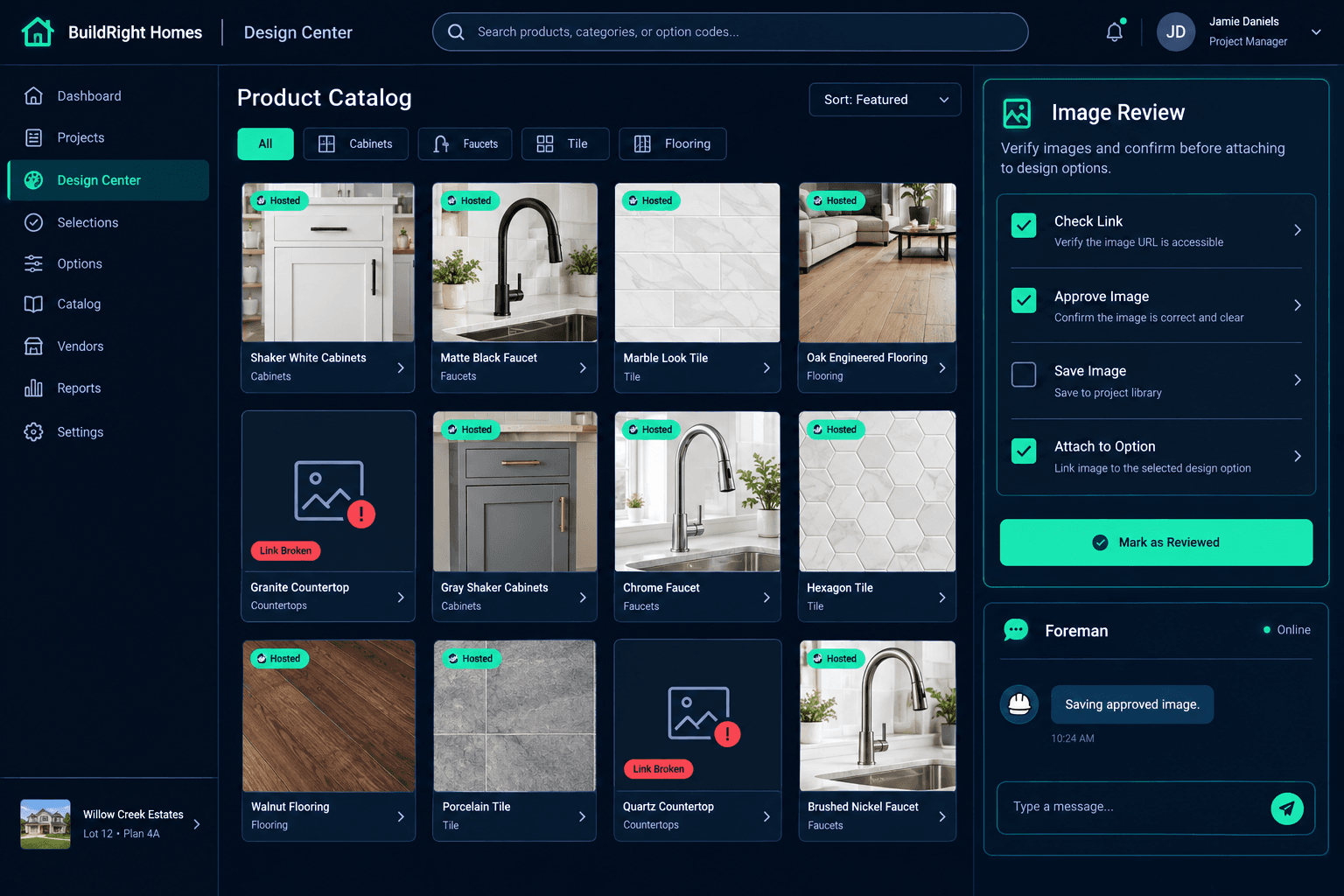
When a Supplier Image Link Breaks: Keep Your Design Catalog Usable
A design option that points at a supplier's image link is only as durable as that link. Saving an approved copy to hosted storage before you attach it keeps your design center catalog usable when the supplier changes its website.
Nothing is wrong with the option itself. The cabinet, faucet, or tile is still in your catalog, still priced, still available to buyers. But the thumbnail is a gray box, and a buyer choosing finishes can't pick what they can't see.
Why does a supplier image link break?
When you paste an external image URL into a design option, the catalog displays whatever the supplier's server returns at that address. You don't own the file. The supplier does, and they can move it without telling you.
The classic trigger is a site redesign. A supplier launches a new website, product pages get new addresses, and image files move to a different folder or content network. Every link that pointed at the old structure now returns nothing. A discontinued product can do the same thing on a smaller scale.
What is the difference between displaying a link and saving an image?
Displaying a link borrows the supplier's file each time the page loads. Saving an image stores a copy in hosted storage and points your design option at that copy. The first depends on the supplier's URL staying put. The second depends on your saved copy.
There are limits worth stating plainly. A hosted copy is a snapshot. It doesn't refresh when the supplier updates a product photo or changes a finish, and it isn't a promise of perpetual availability. What it does is reduce your dependence on the original URL, which is the failure that hurts most often.
How do you review the affected catalog entries?
Cornerstone does not automatically scan for broken links or repair images in bulk, so the first pass is a manual review. Say a supplier redesigned its site last month. Work through the catalog like this:
- Open the catalog category for that supplier and look for missing thumbnails.
- List each affected option by name and model number so nothing is guessed at later.
- Decide which options still matter. Skip anything discontinued or no longer offered in your communities.
- Confirm the product is still current before you look for a new image.
- Record which options you fixed so a second reviewer can verify the list.
How does Foreman help once you know which options need images?
This is the part you can hand off. Foreman can search for a product image by name or model number, save an approved image to hosted storage, and attach it to the design option. The Foreman product image workflow walks through that sequence in detail.
You stay in the approval seat. Check that the image shows the right product before it is saved. A near-match photo of a different model creates a worse problem than a blank thumbnail, because a buyer may select a finish based on what they see.
What should you re-check after the replacement?
- The image matches the option's name, model, and finish.
- The option now shows the hosted copy, not the old supplier link.
- The image still looks right on a buyer-facing screen, not just in the catalog.
- Anything not yet fixed is on a list with an owner, since nothing flags it for you.
Catalog upkeep like this pairs naturally with a design center catalog launch review, which covers what else to check before buyers see the catalog. For the bigger picture on keeping selections, pricing, and images in one place, see the design center overview.
Frequently Asked Questions
Why do design catalog product images break?
Does Foreman automatically find and fix broken image links?
Do hosted images update when the supplier changes the product?
Should I save the image before or after attaching it to a design option?
How do I confirm a replacement image shows the right product?
A design catalog your buyers can actually see.
Cornerstone PM connects your design center, purchasing, and schedules in one platform built for home builders.
Request Early Access