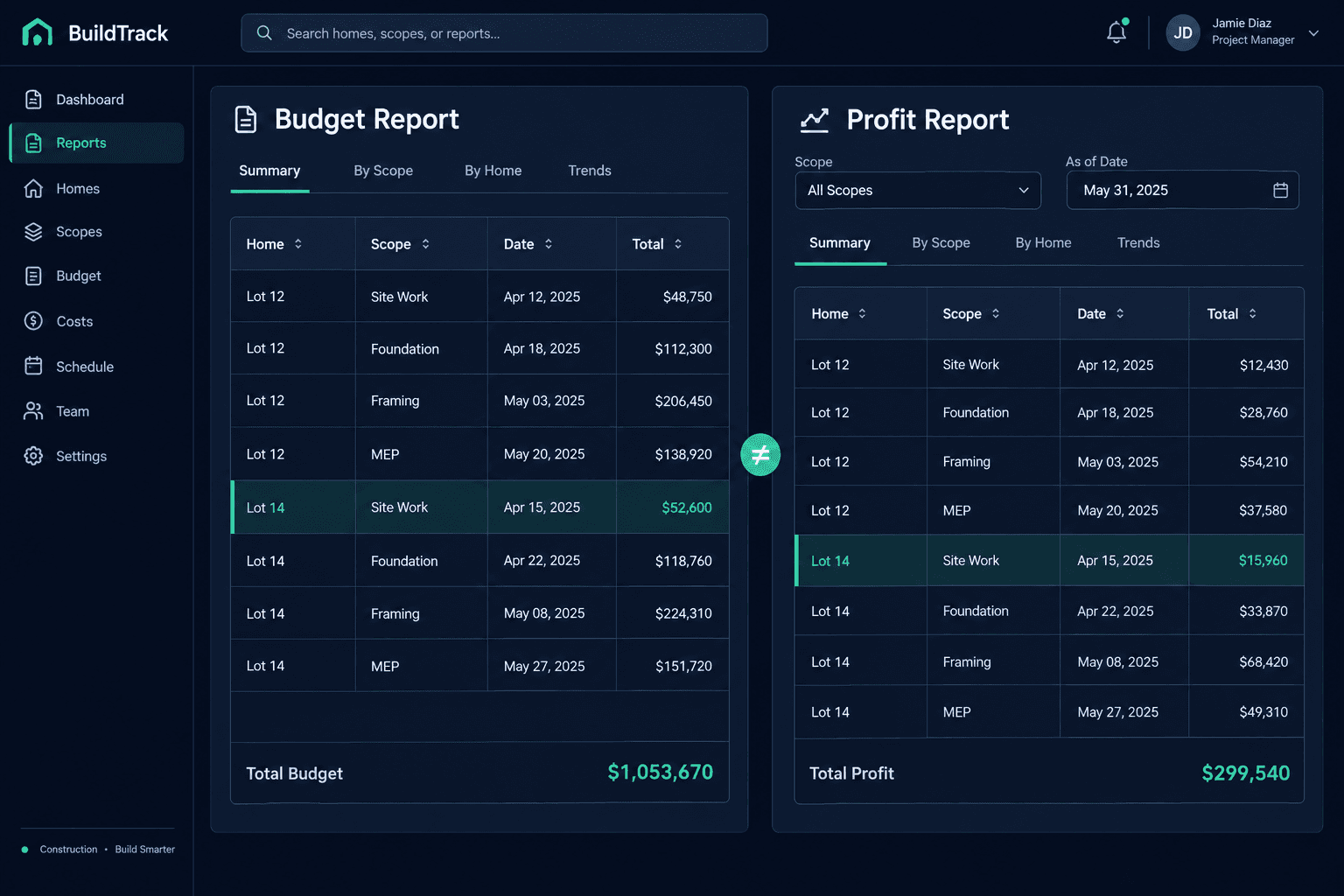
Two Budget Reports Disagree: Compare the Same Homes, Scope, and Date
When two budget reports show different totals, compare the homes, scopes, run date, and what each total measures before assuming you have a margin problem. Most gaps trace back to mismatched inputs in your purchasing data, not to bad math.
A builder opens one report showing one total and another report showing something noticeably different, and the instinct is to assume money is leaking. Usually the two reports were simply never asking the same question. One may cover more homes, another may include an extra trade, and a third may have been run last week.
This is a manual diagnostic for that moment. It is not a tour of reporting features, and it does not assume any tool will reconcile the reports for you. The goal is to work out, by hand, which differences are explained and which are not.
What should you compare first?
Compare five things, in this order. Each one is cheap to check and each can explain a whole gap on its own.
What the comparison checks
Homes included
The same lots and floorplans in both reports
Scopes included
The same trades and scope items on both sides
Report timing
The date each report was run
What the total measures
Budget, commitment, or actual cost
Pricing status
Accepted vendor pricing versus allowance placeholders
Are both reports covering the same homes and scopes?
Write the list of homes each report includes, then the list of scopes. A report that includes a newly started lot, or a scope such as roofing that the other report leaves out, will differ by exactly that amount. Put the two lists side by side and mark every item that appears in only one. If the lists differ, fix that first and rerun before looking at anything else.
Does the report date explain the difference?
Costs move. Bids get accepted, purchase orders get issued, and invoices arrive. Two reports run on different days can both be correct and still disagree. Note the date on each, and when possible run both again the same day. Do not assume a past report can be recreated exactly, because this checklist relies on the current records rather than any stored snapshot.
Is each total a budget, a commitment, or an actual?
A budget is what you planned to spend. A commitment is what you have agreed to spend through bids and purchase orders. An actual is what has been billed. These measures are not supposed to match, and comparing a budget total to an actual-cost total will always look like a discrepancy. Label each total before comparing it.
Do not invent a missing price to force a match
Cornerstone prices part and scope-item lines from accepted vendor pricing and keeps allowances identifiable as placeholders. If a line is unpriced, verify the record behind it instead of guessing a number so the totals agree. This checklist does not describe an automatic report reconciler.
Which lines are still allowances?
Open the records behind each total and look at pricing status. Lines priced from accepted vendor pricing are real commitments to a vendor; allowance lines are placeholders. A report heavy with allowances will differ from one built mostly on accepted pricing, and that is information rather than an error. The allowances guide explains how placeholders sit alongside real costs.
What if the reports still disagree?
Write down which differences each check explained and what remains. Only an unexplained remainder deserves a margin conversation. If you generate budget and profitability reports through Foreman, the same discipline applies: report from app data, then verify the records behind each total. For a related case where a single line is the culprit, see the zero-cost line review, and for how Foreman reports are produced, the profitability reports overview.
Work through the six steps in order, keep the written comparison with your notes, and name one person who owns the answer. A short written trail makes the next disagreement much faster to settle.
Trust the totals behind your reports.
Build budgets from accepted vendor pricing and keep placeholders visible. Start with the purchasing workflow that feeds your numbers.
Request Early Access